
IP Fax/OCR Activation Procedure
IP Fax
- Select [Settings].
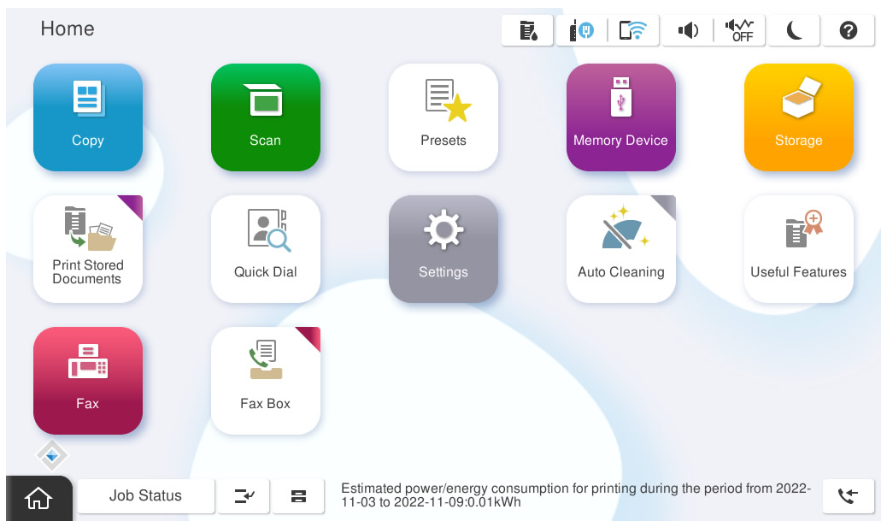
- Select [General Settings].
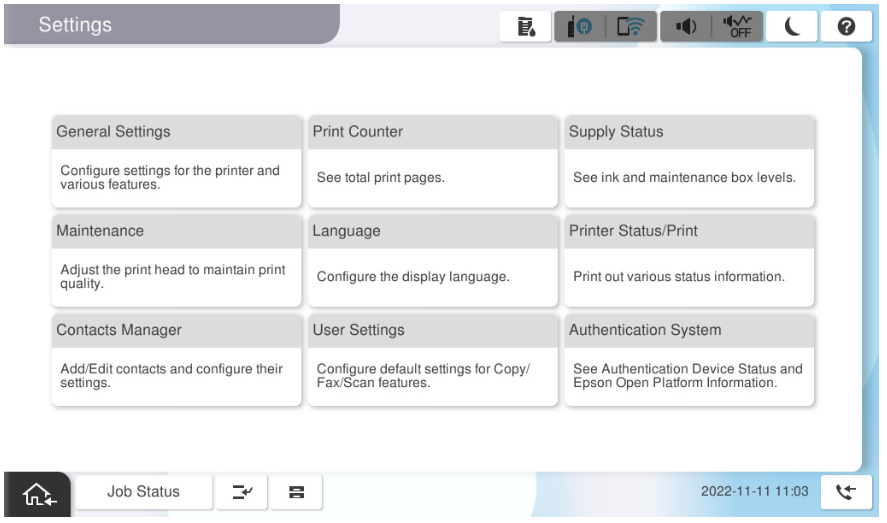
- Select [System Administration].
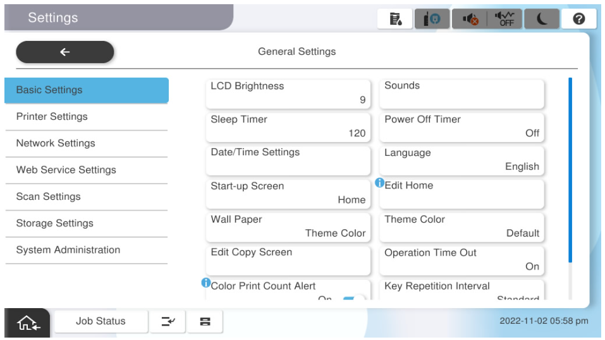
- Select [Advanced Features].
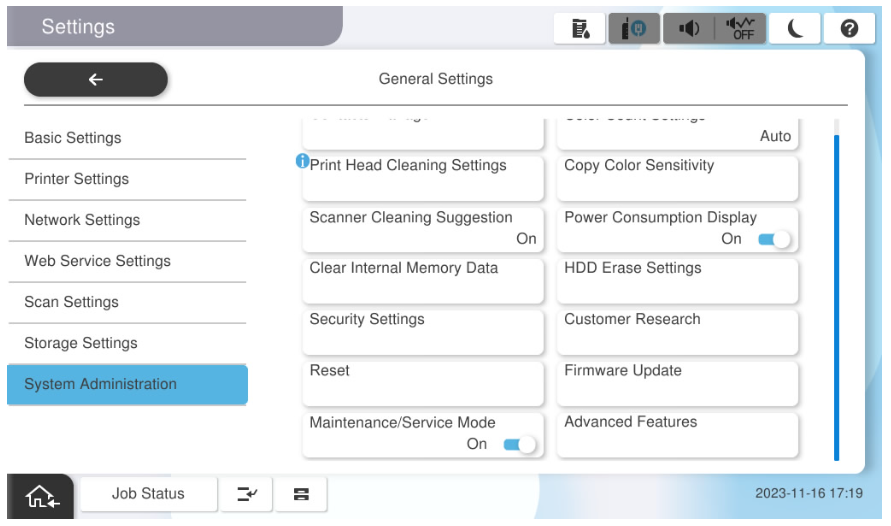
- Select [IP Fax].
- Press the input field.
- Enter the license key and press [OK].
- Check that the entered license key is correct, and press [License Authentication].
- After the license is authenticated, restart the main unit.
- After restarting the main unit, confirm that the license has been authenticated.
OCR Option
- Select [Settings].
- Select [General Settings].
- Select [System Administration].
- Select [Advanced Features].
- Select [OCR].
- Press the input field.
- Enter the license key and press [OK].
- Check that the entered license key is correct, and press [License Authentication].
- After the license is authenticated, restart the main unit.
- After restarting the main unit, confirm that the license has been authenticated.