
IP Address Setting Using DHCP
- Method to switch the Network Address settings.
- Set [TCP/IP] to [Auto].
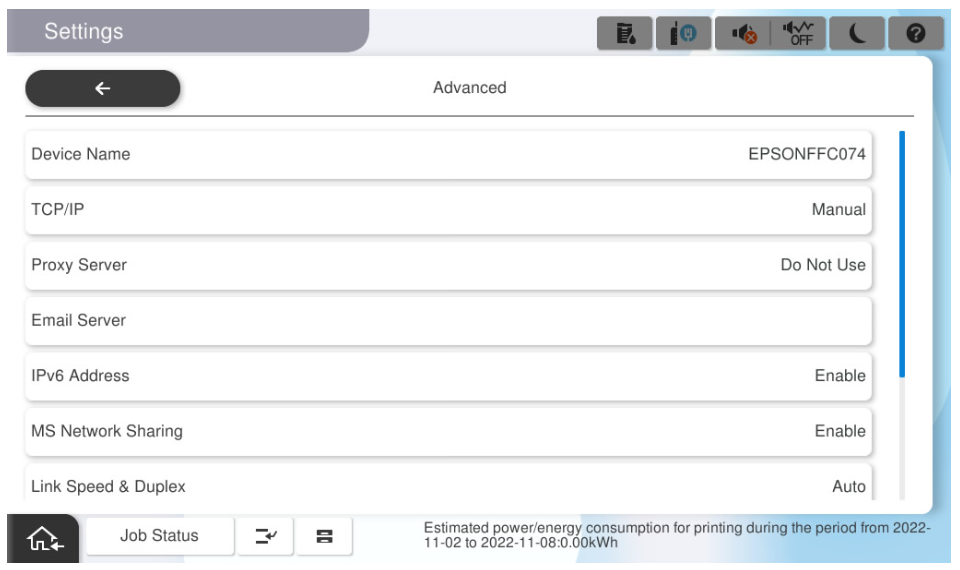
- If it is set to [Manual], switch to [Auto].
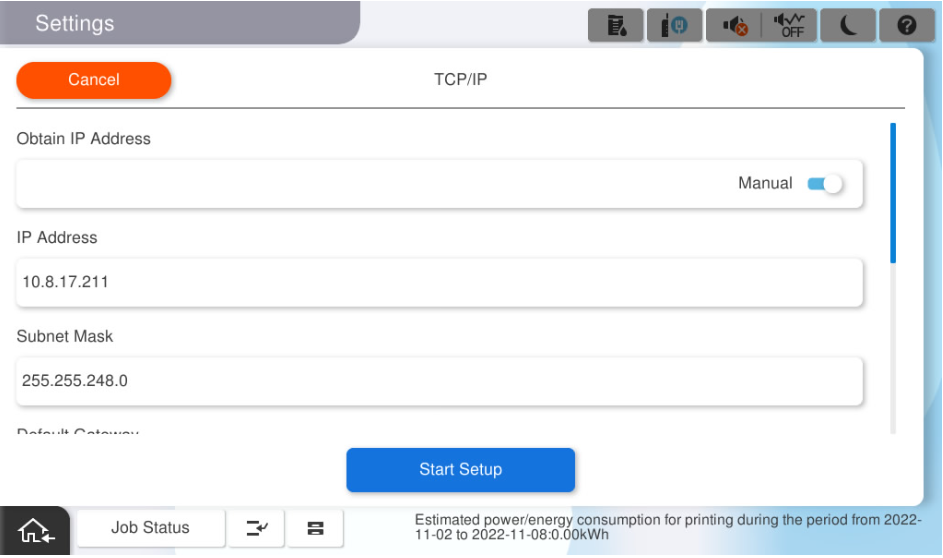
- Set [TCP/IP] to [Auto].
- Save the settings.
- Tap on [Start Setup].
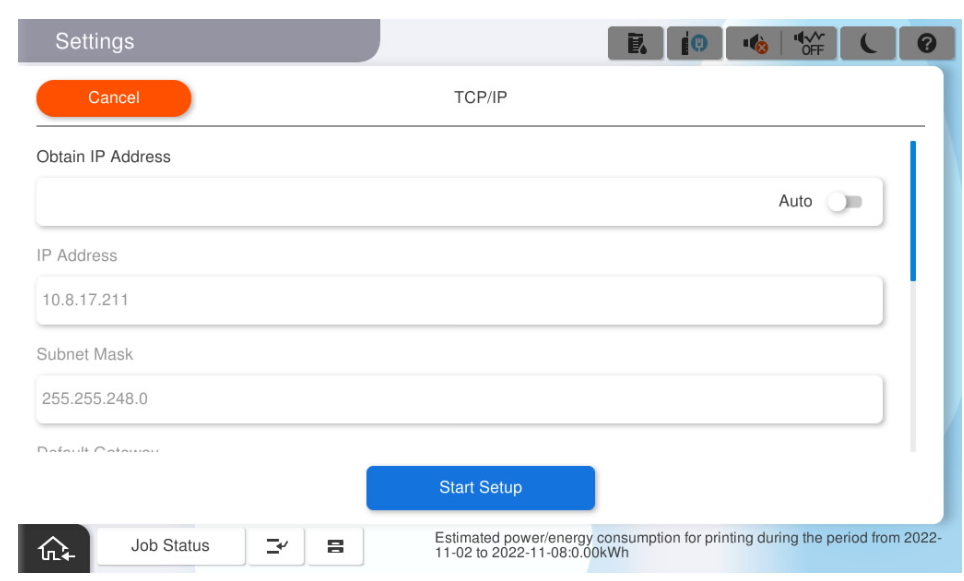
- Wait for the settings to take effect.
- Confirm that the setting completion screen is displayed.
- Tap on [Start Setup].