
Method to Assign a Static IP Address
- Method to switch the network address settings.
- If the TCP/IP is set to [Auto], tap the this menu.
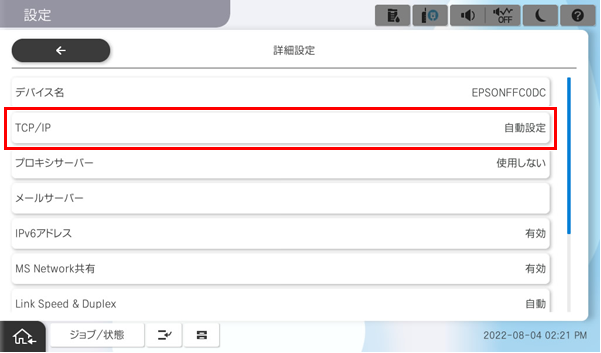
- Tap [Auto] of the Obtain IP Address.
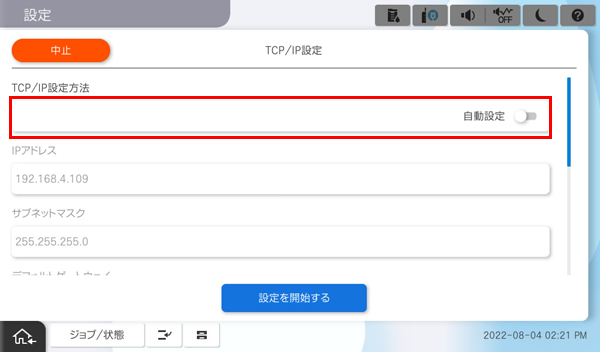
- Check that the method to Obtain IP Address is set to [Manual].
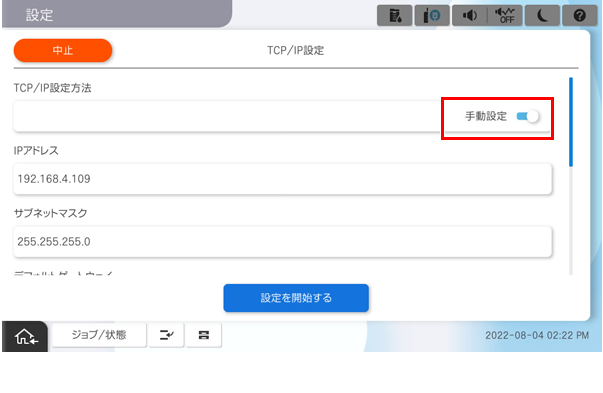
- If the TCP/IP is set to [Auto], tap the this menu.
- Set the IP Address.
- Tap [IP Address].
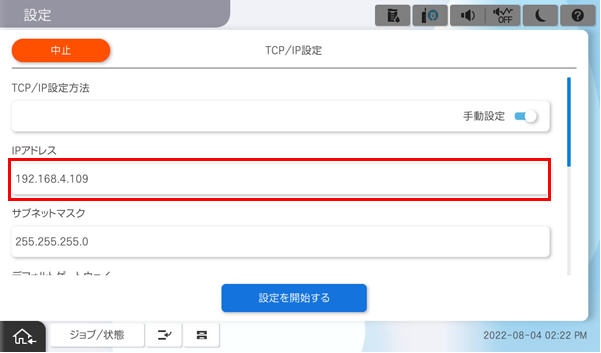
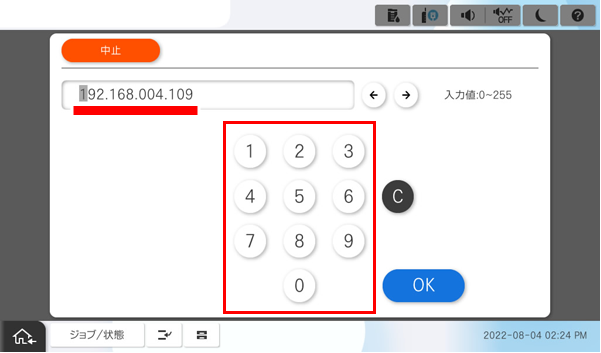
After starting the software keyboard, enter the IP address.
 Check Point / チェックポイント
When entering the IP address, make sure to enter 0 to match the number of digits. When returning from the software keyboard screen, the 0 entered to match the number of digits is (are) omitted on the display.
- When the IP address is “192.0.2.111”
192.000.002.111 - When the IP address is “192.0.12.10”
192.000.012.010
- When the IP address is “192.0.2.111”
- When the entry is completed, tap [OK].
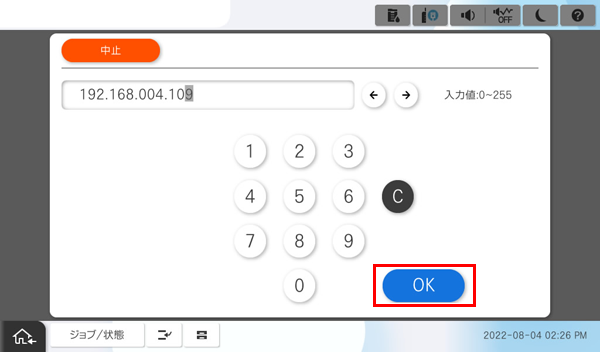
- Check that the entered IP Address is displayed on the screen.
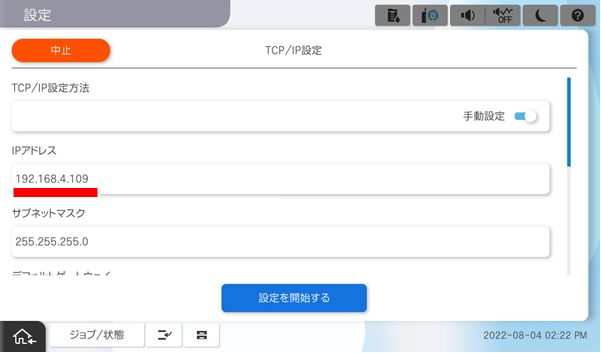
- Tap [IP Address].
- Subnet Mask Setting
- Tap [Subnet Mask].
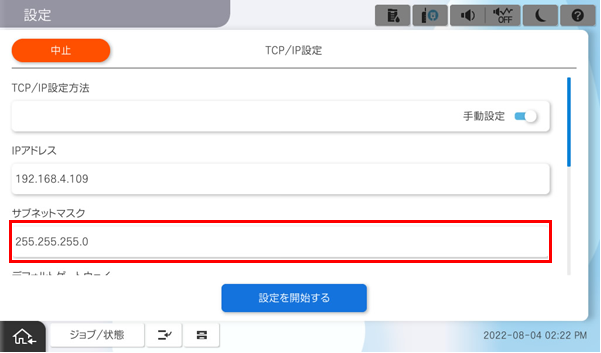
- After starting the software keyboard, enter the sub-net mask.
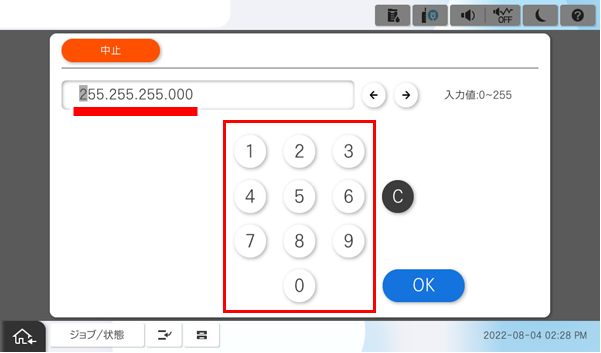
- When the entry is completed, tap [OK].
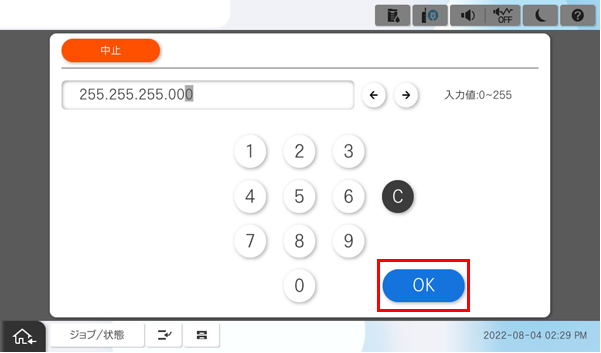
Check that the entered sub-net mask is displayed on the screen.
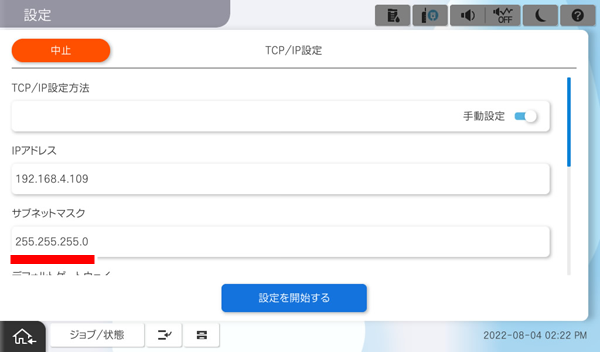 Check Point / チェックポイント
When entering the sub-net mask address, enter 0 to match the number of digit. When returning from the software keyboard screen, the 0 entered for digit alignment is omitted and displayed.
- For subnet mask 255.2555.0.0
255.255.000.000
- For subnet mask 255.2555.0.0
- Tap [Subnet Mask].
- Set Default Gateway.
- Tap [Default Gateway].
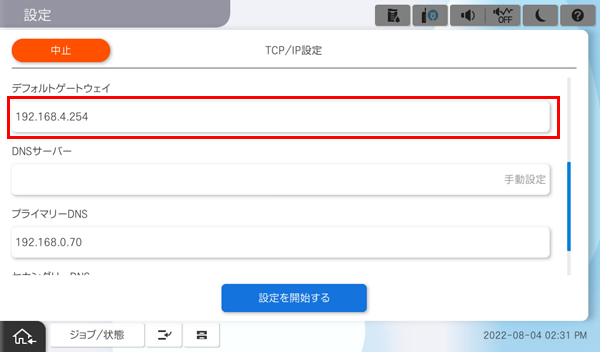
After starting the software keyboard, enter the default gateway address.
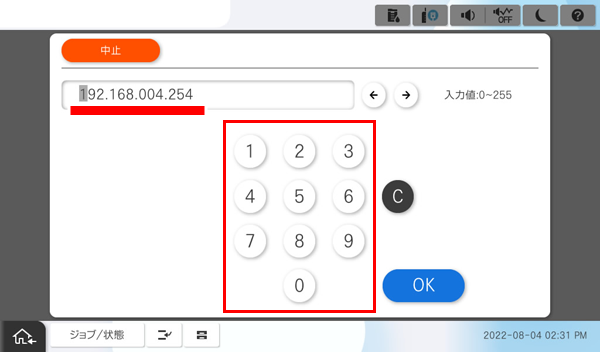 Check Point / チェックポイント
When entering the Default Gateway, make sure to enter 0 to match the number of digits. When returning from the software keyboard screen, the 0 entered to match the number of digits is (are) omitted on the display.
- When the IP address is “192.0.2.111”
192.000.002.111 - When the IP address is “192.0.12.10”
192.000.012.010
- When the IP address is “192.0.2.111”
- When the entry is completed, tap [OK].
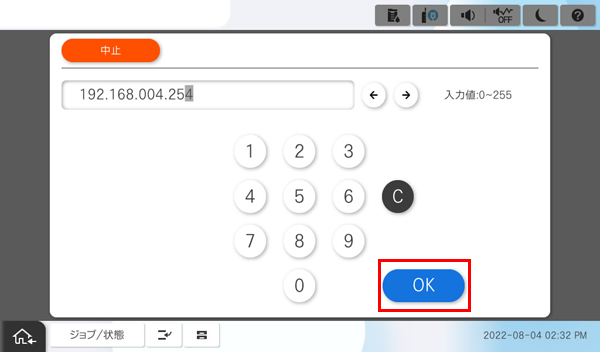
- Check that the entered Default Gateway is displayed on the screen.
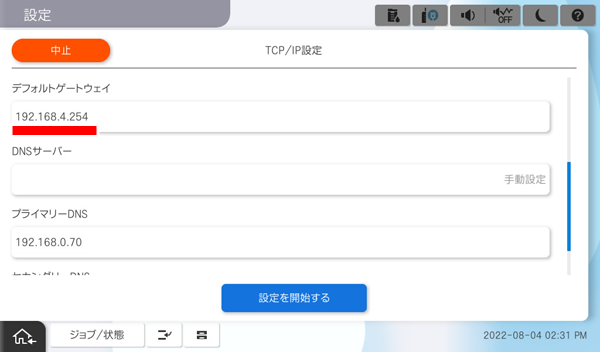
- Tap [Default Gateway].
- Save the settings.
- Tap on [Start Setup].
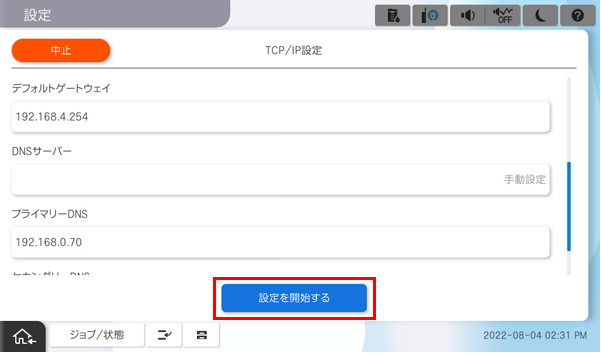
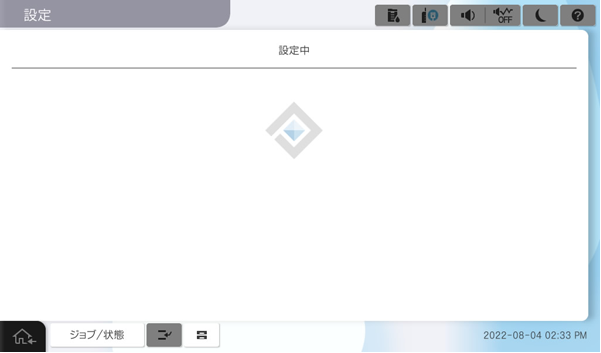
- Wait for the settings to take effect.
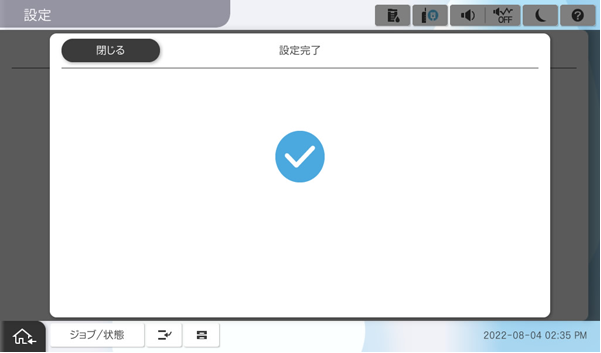
- Confirm that the setting completion screen is displayed.
- Tap on [Start Setup].