Main Unit Installation Procedure
 Caution / 注意 Caution / 注意 |
Be sure to check the following precautions before installation.
|
Items to Prepare
- Main Unit included items
- USB memory (to store the latest firmware)
Installation Procedure
- Connect the Power cable between Main Unit and the electrical outlet.
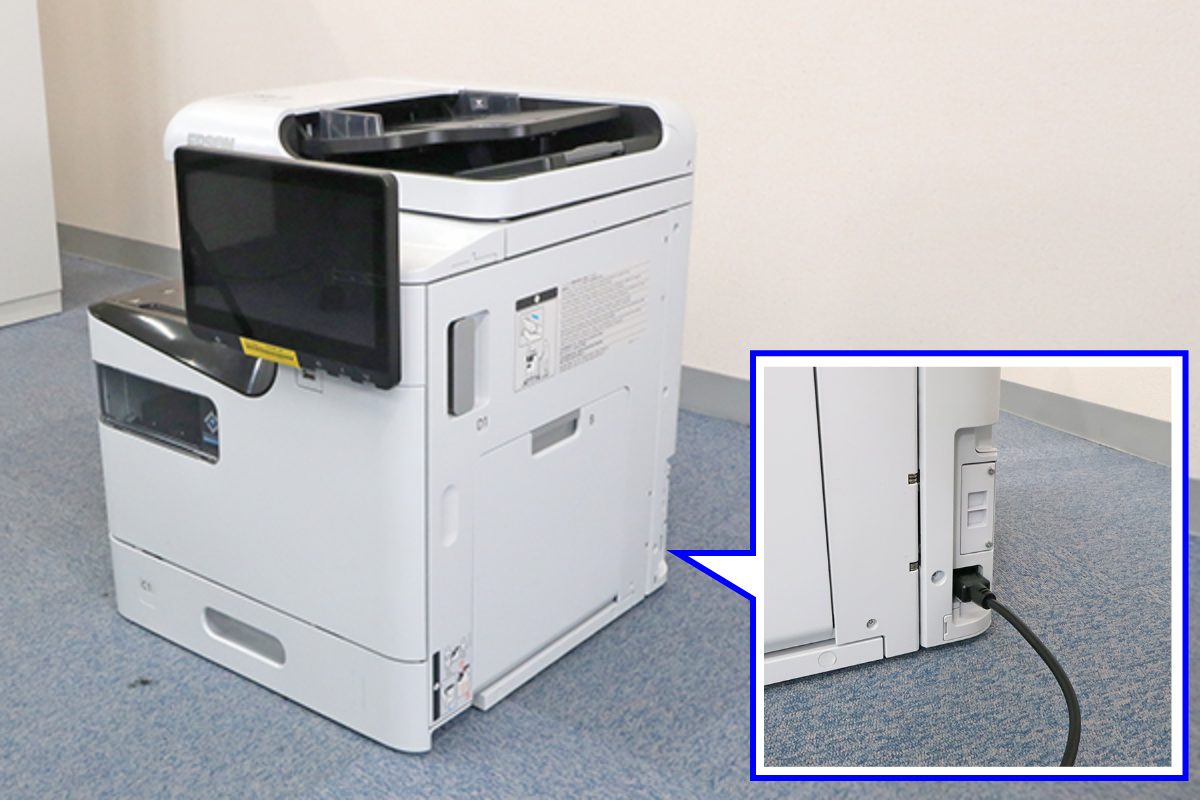
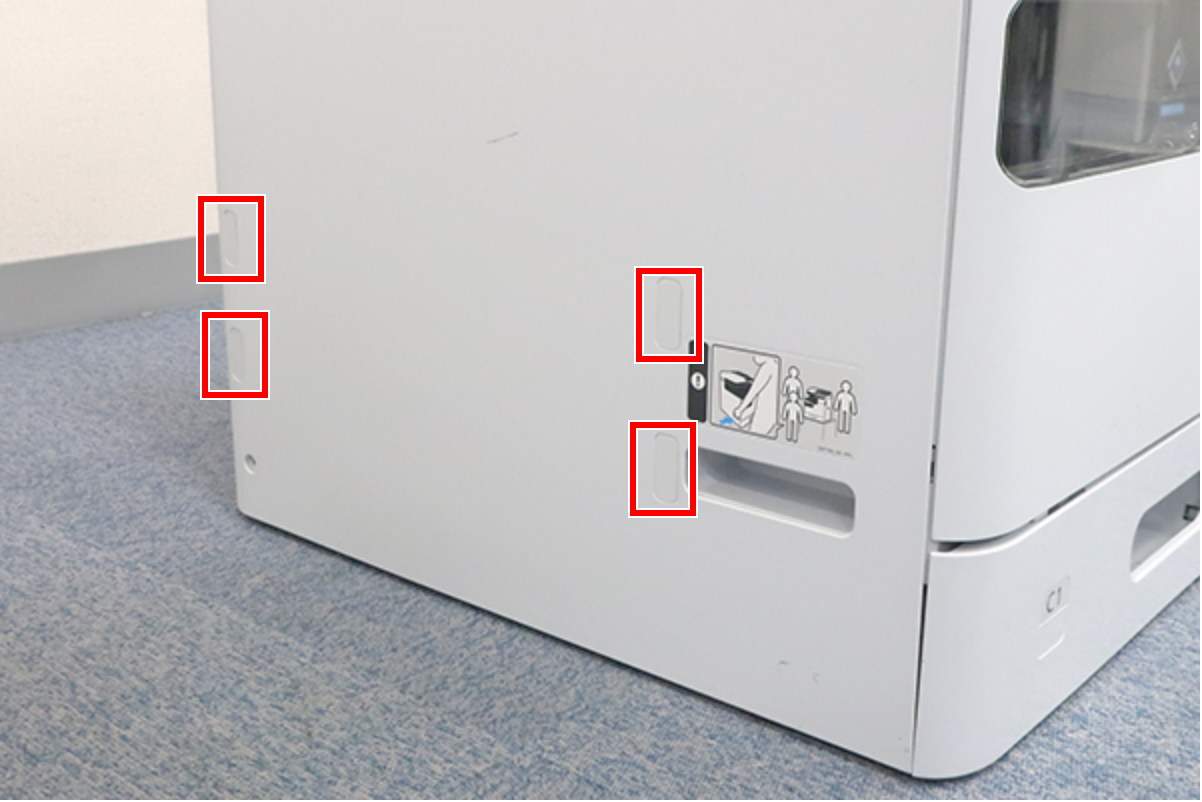
- Peel off the 4 Blindfold seals.
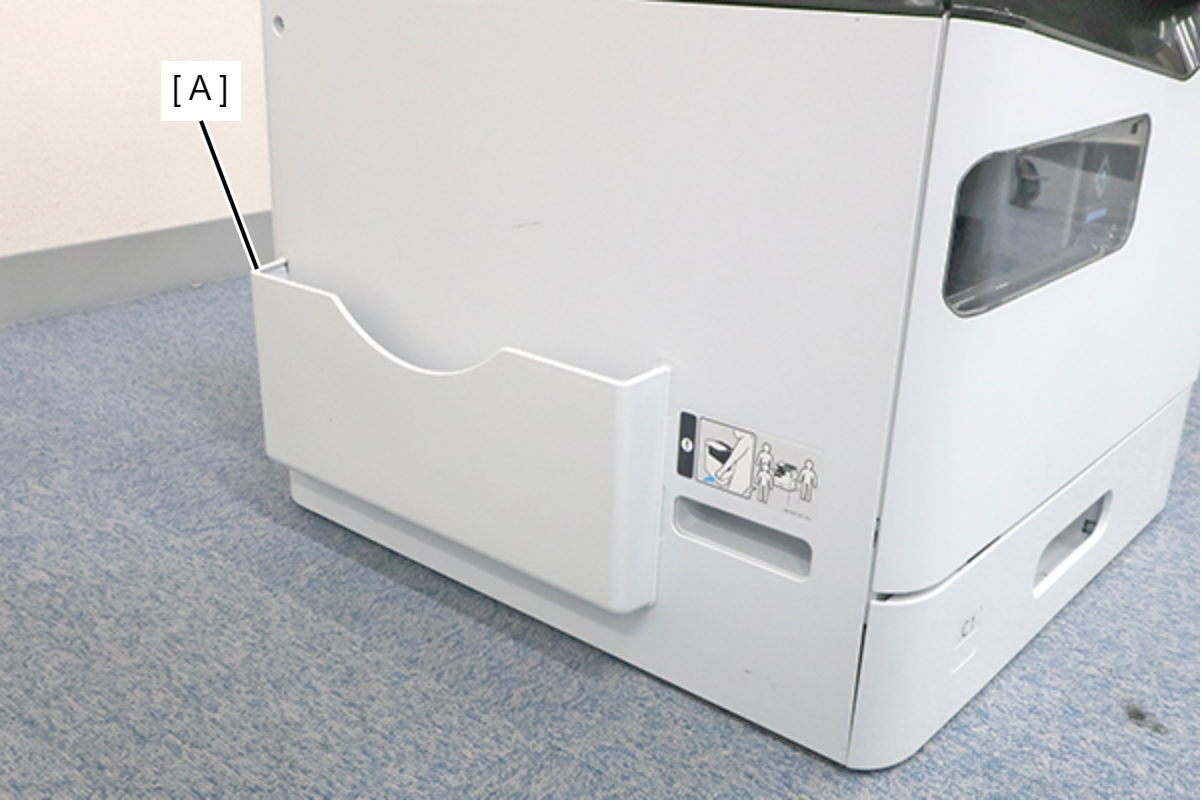
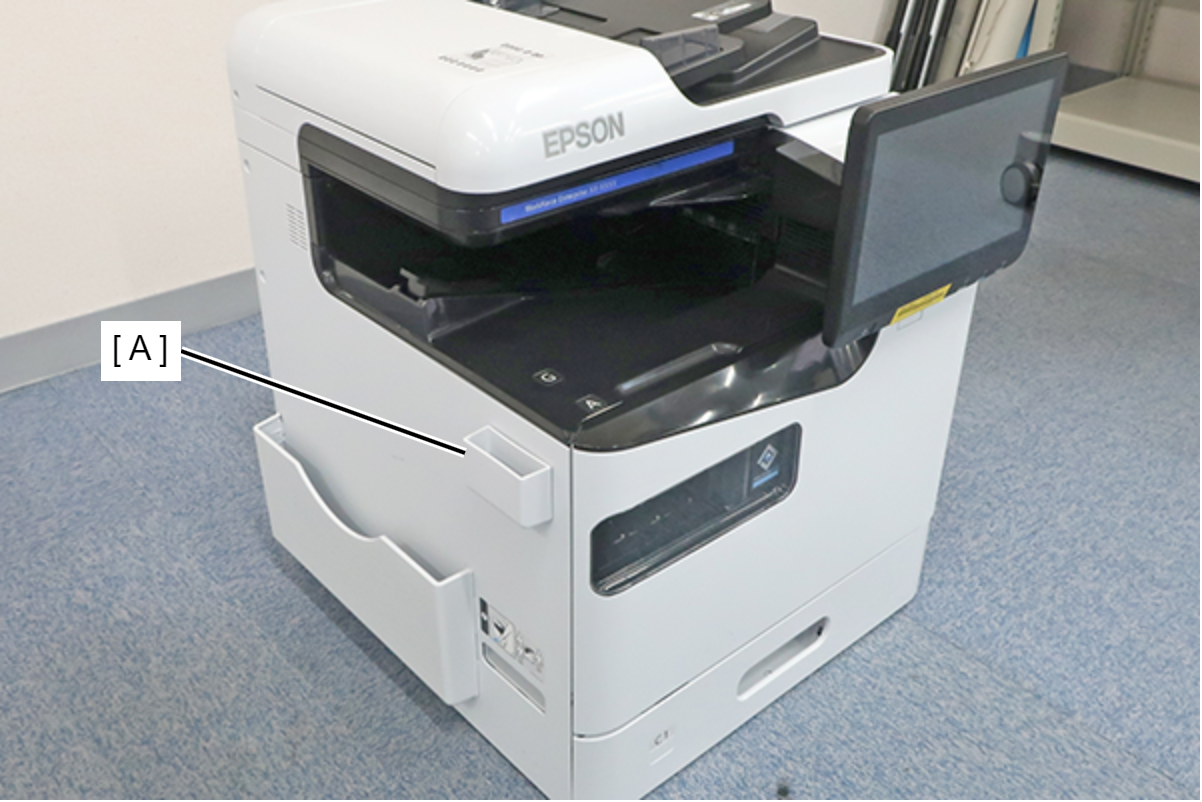
- Attach the Document holder (A).
Remove the releasing paper from the Cleaning cloth holder, and attach to appropriate position of the Main Unit.
 Note / 補足
Make sure to confirm customer requirements where to attach.
Holds the Cleaning cloth.
Check the setup inclination of the main unit.
Caution / 注意- A fatal error (034871) occurs when the main unit is tilted by +/- 3° or more. In this case, it is necessary to change the installation environment or take individual measures to correct the posture.
- Even if a fatal error does not occur, the setup inclination may change over time depending on the material of the installation floor (product sinking occurrence, etc.). Therefore, make sure to check the setup inclination at the time of installation, and take the measures described above as necessary.
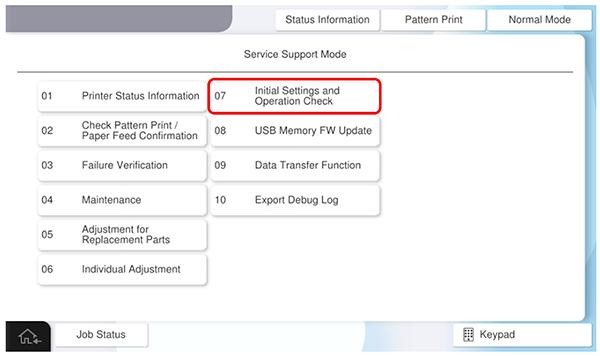
Start the service support mode.
Select [07 Installation Setting / Operation Check].
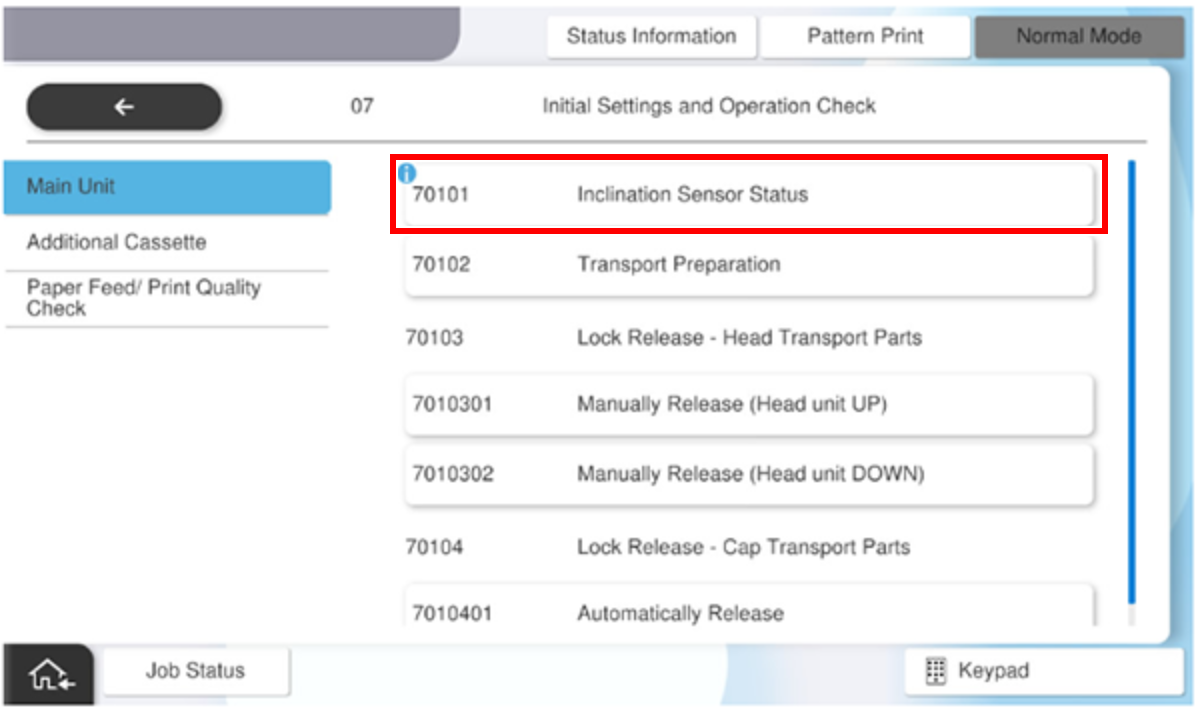
- Select the [Main Unit] tab, and select [70101 Inclination Sensor Status].
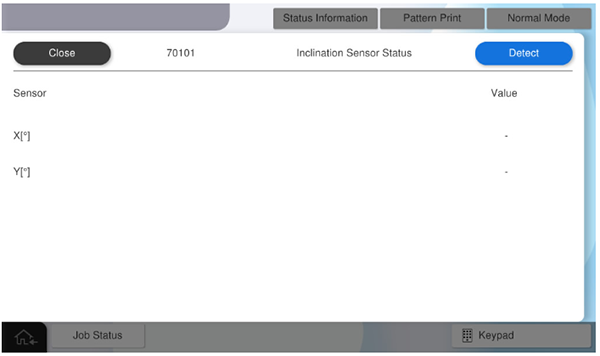
Press [Detect] and check the values displayed for X[°] and Y[°].
Note / 補足There is no problem if the values of X and Y are within ±3°.
- Update to the latest firmware.
USB Memory FW Update