Proxy Server Settings
- Method to switch the Proxy Server settings.
- Tap [Do Not Use a Proxy].
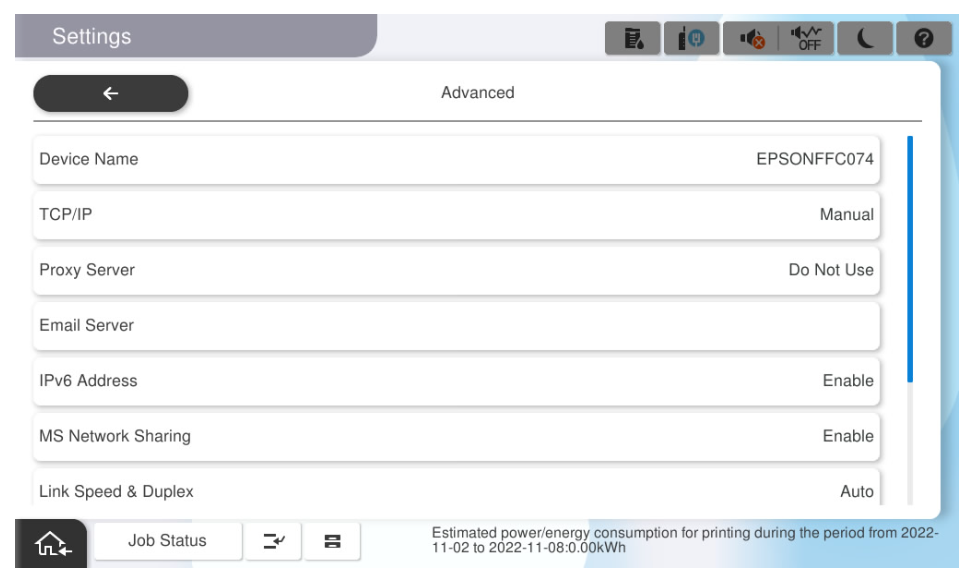
- Confirm that the proxy server setting screen is displayed.
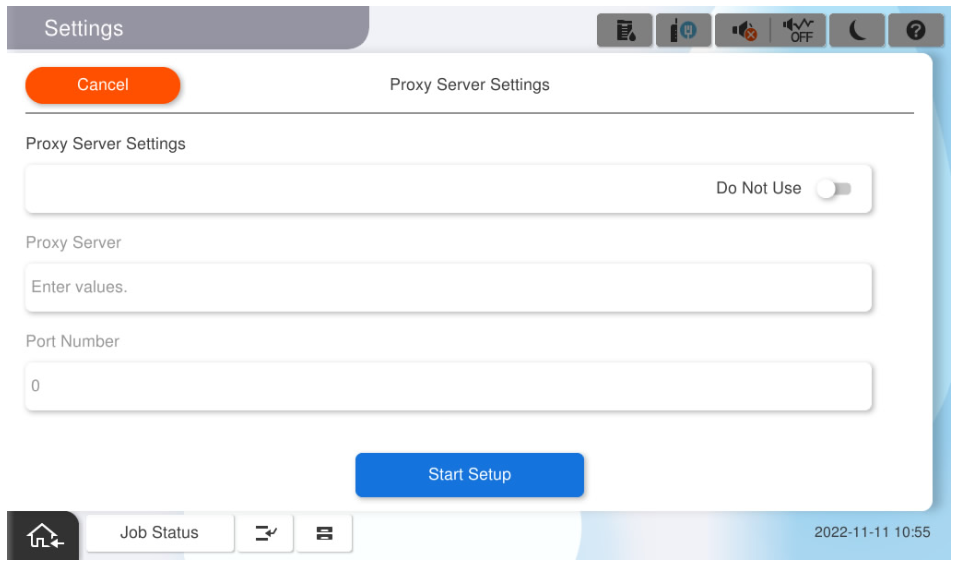
- Proxy server usage settings.
- Tap [Do Not Use] in the proxy server settings.
- Confirm that the proxy server use setting is set to [Use].
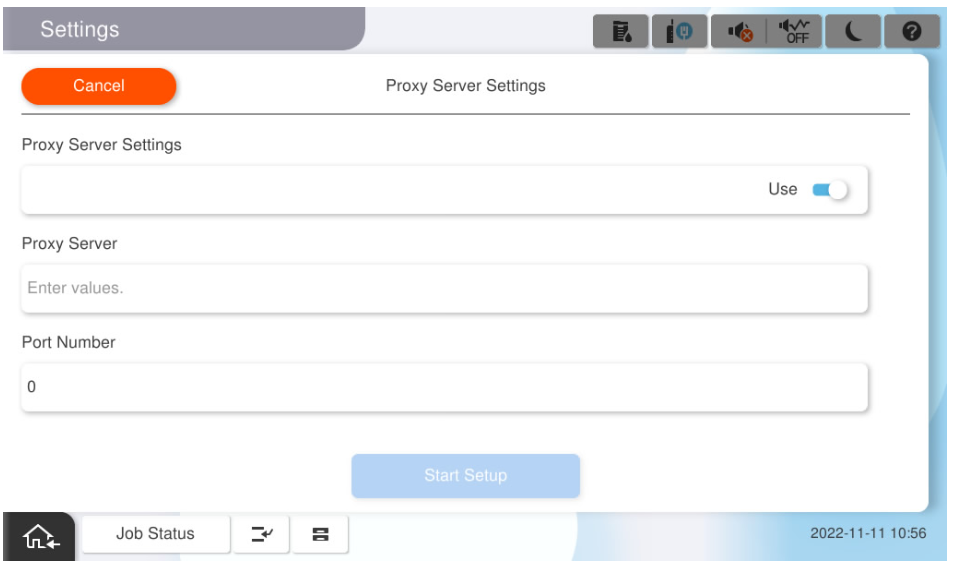
- Proxy Server Settings.
- Tap [Enter Values] for Proxy Server.
- Confirm the input screen appears, and enter the URL or IP address based on the customer hearing sheet.
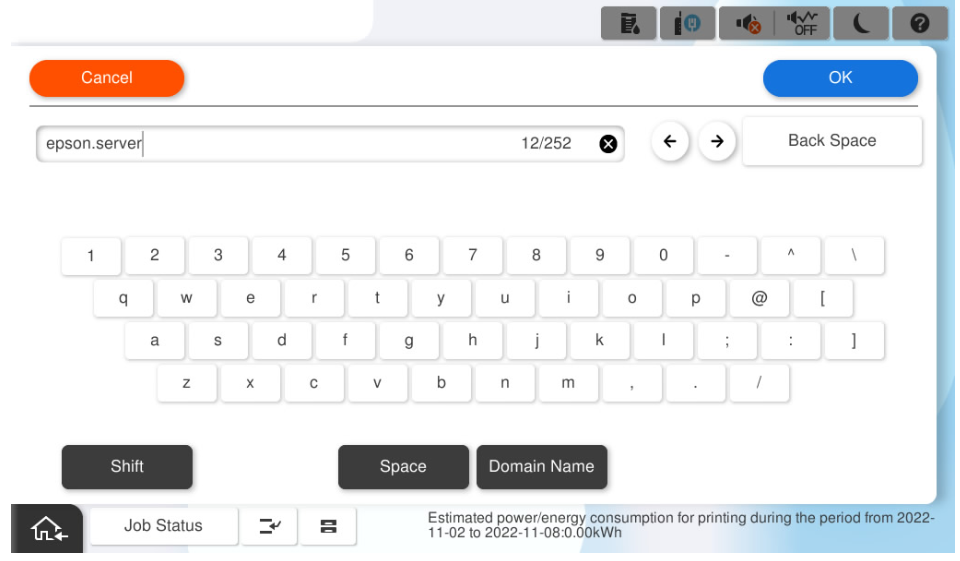
- Press [OK].
- Confirm the proxy server setting has been changed.
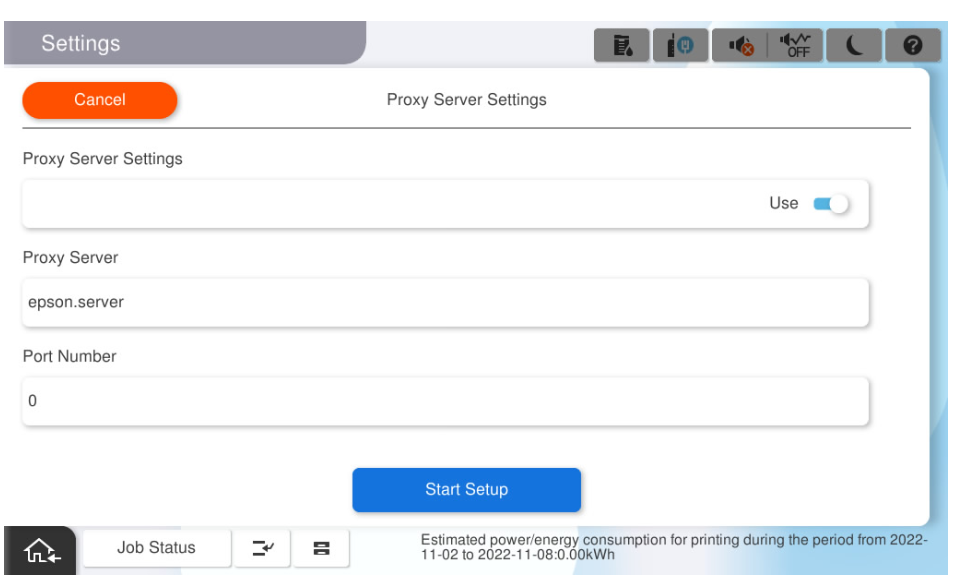
- Set the proxy server port number.
- Tap the [Port Number].
- When the input screen shows up, enter the port number based on the customer hearing sheet.
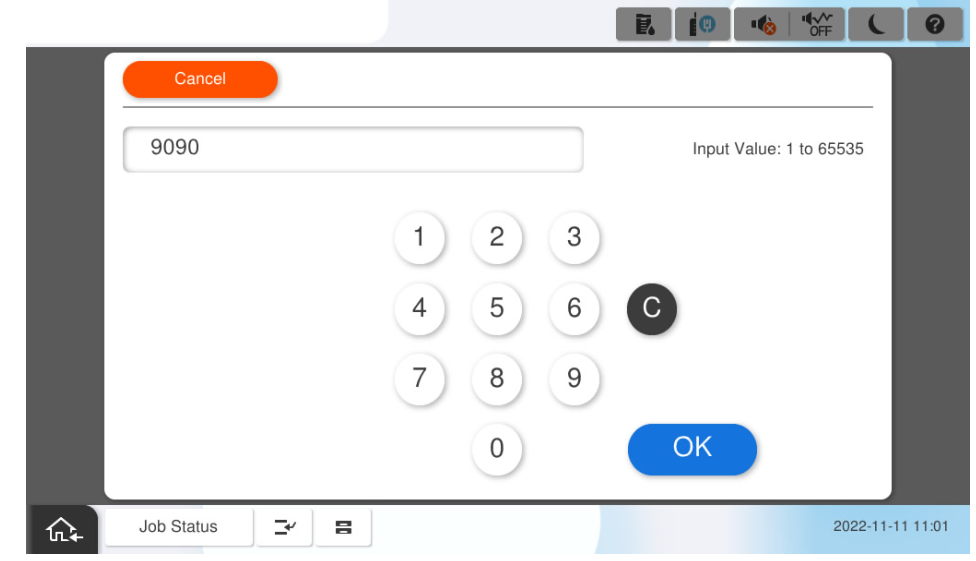
- Tap [OK].
- Confirm the port number setting has been changed.
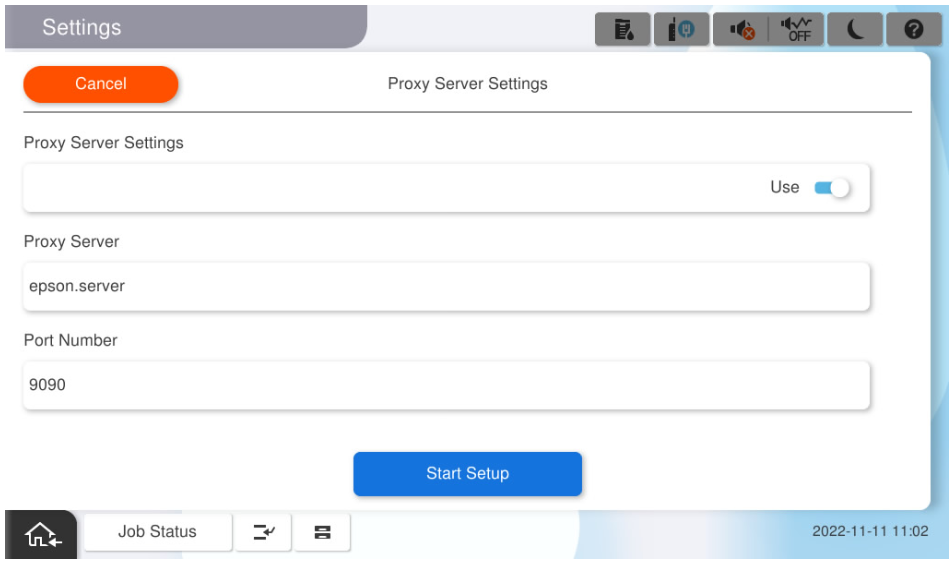
- Save settings
- Select [Start Setup].
- Wait for the settings to take effect.
- Confirm that the setting completion screen is displayed.
