Protecting the products to avoid damages while transporting

Ink cartridge
Protection PointDescription

Prevention of ink transfer during transportation

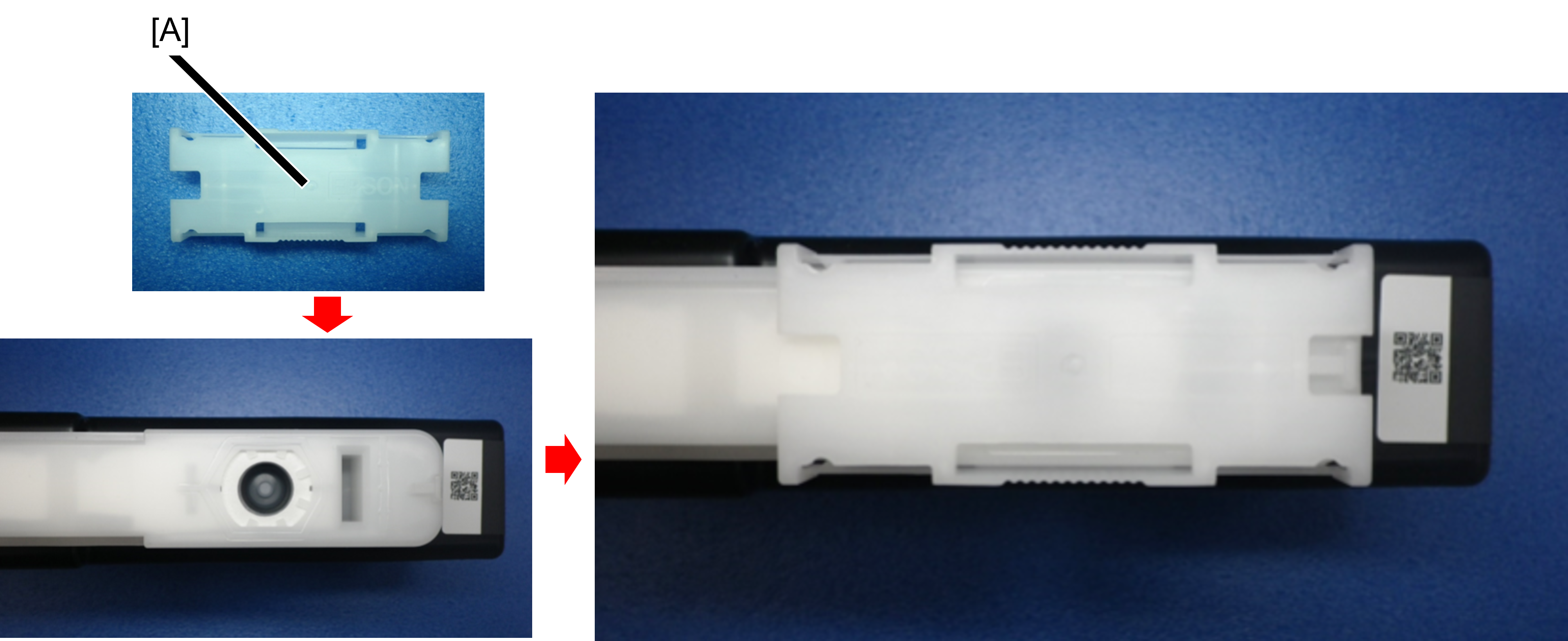
  1. Immediately attach the ink supply port cap (A) to the removed ink cartridge.
    At this time, be careful not to apply vibration or impact before attaching the ink supply port cap.
    If the ink supply port cap is not attached, ink remaining in the supply port may drip.
    *Ink supply port cap is established as ASP.
    If the ink supply port cap is stained with ink, wipe it off with BEMCOT or the like each time.
  2. In consideration of the ink supply port cap coming off during transportation, we recommend the following.
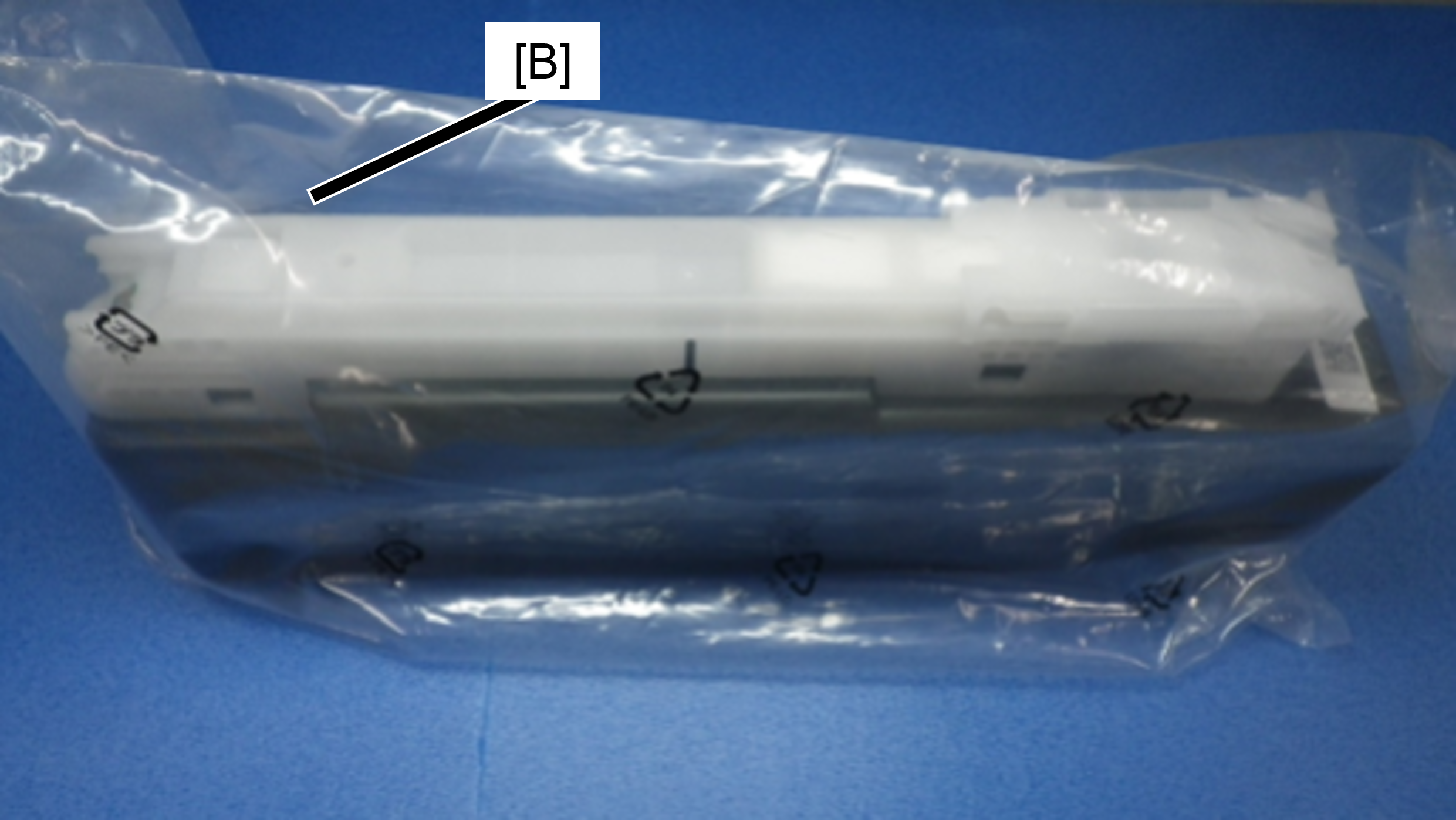
    ・Put it in the individual bag (B) in which the ink cartridge was enclosed.
    ・Carry the ink cartrdige so that the ink supply port faces upward.


How to attach the ink supply port cap

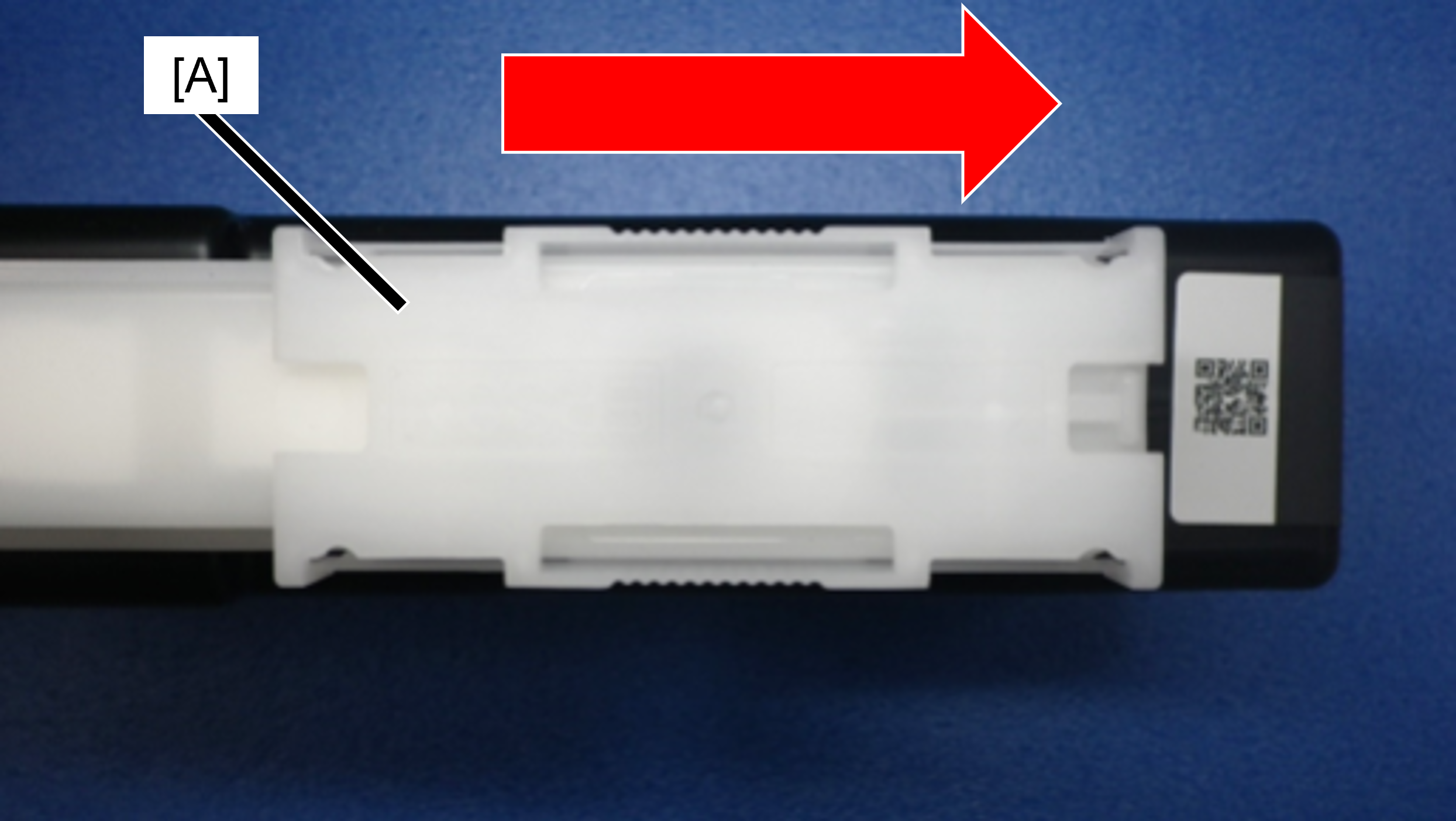
Slide the ink supply port cap (A) in the direction of the arrow until it clicks.

The shape of the ink supply port cap is bilaterally symmetrical, so it can be installed in either direction.


Main Unit
In D4 Cover
Caution / 注意

To prevent contact with the Belt surface during work, be sure to perform the items listed in the table in order from the top.

Protection PointDescription

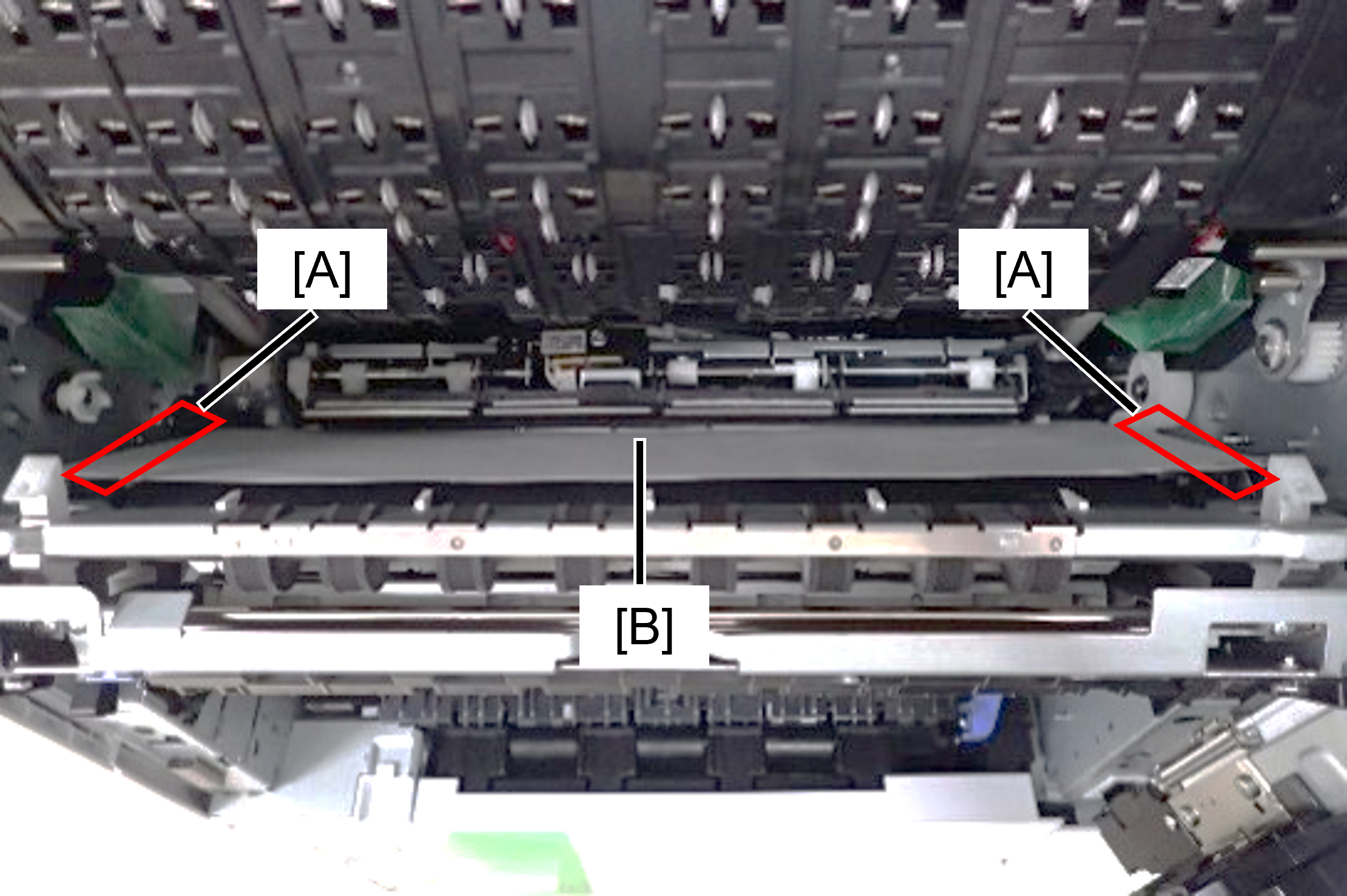
Prevents rubbing of belt and belt gap regulating surface (A) due to vibration during transportation

  1. Open the Belt Unit.
  2. Place A4 paper (B) folded in half lengthwise on the belt and gap regulation surface.

Preventing lifting gear disengagement of the cap unit due to vibration during transportation.

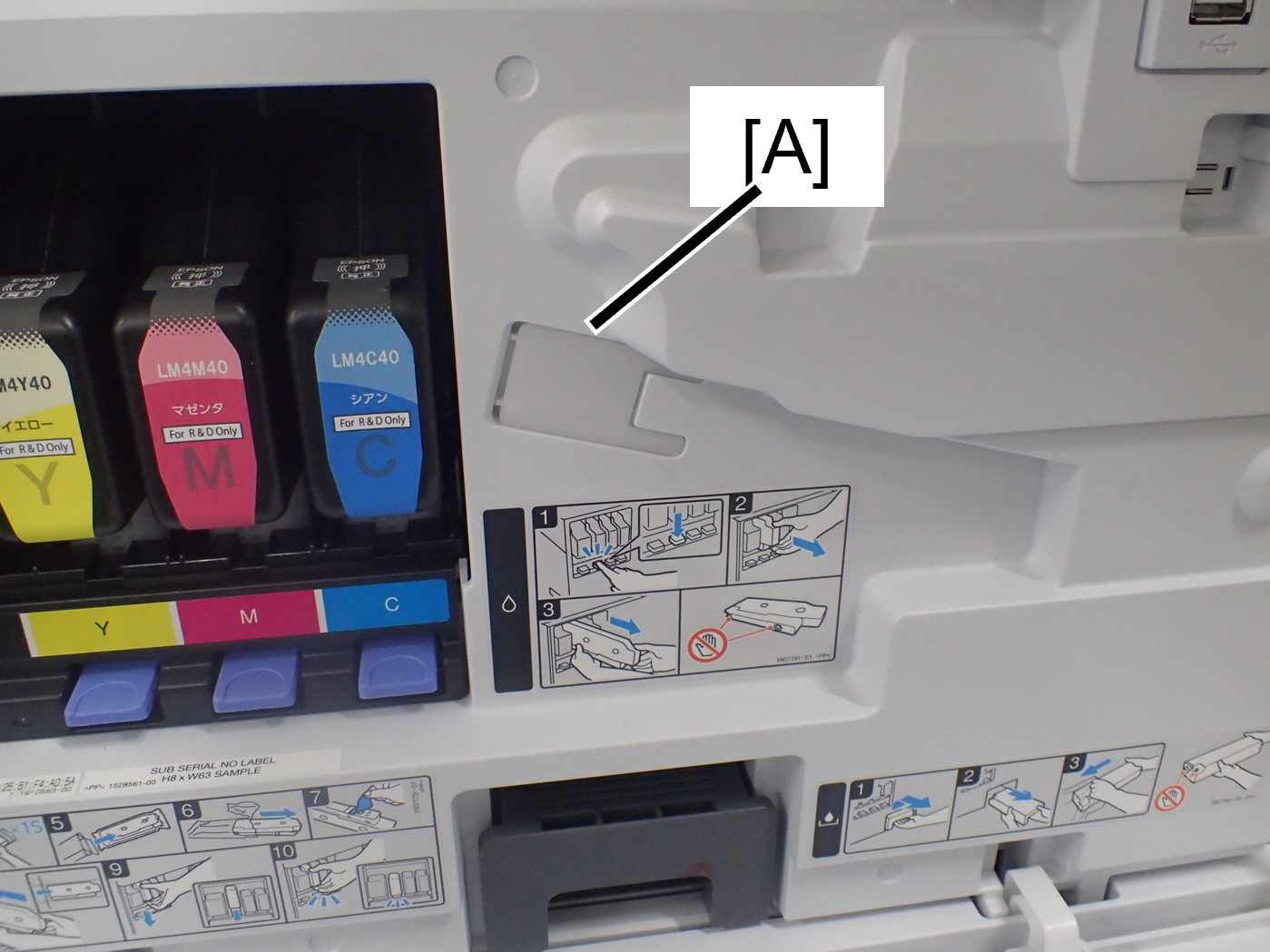
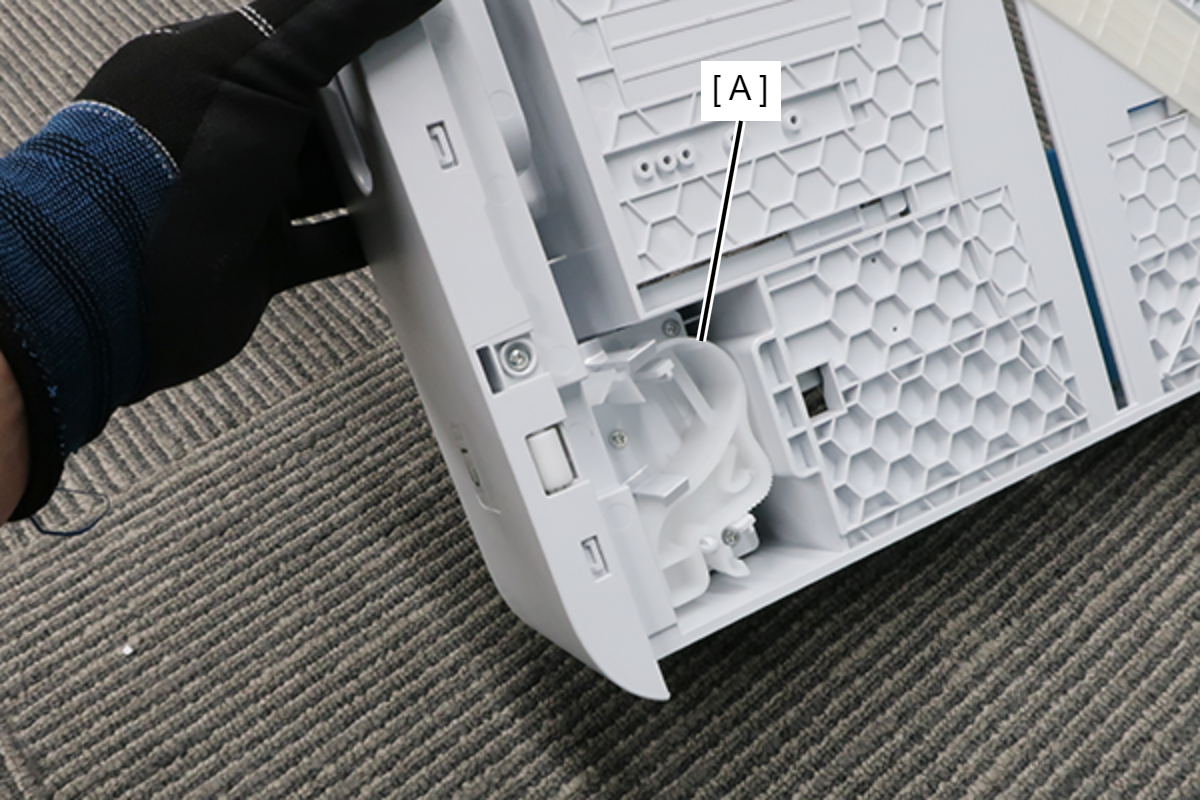
  1. Remove the cap transport parts (B) attached to the right door unit (A).
    * If the transportation parts are not stored in the position shown in the left figure, please purchase ASP.
  2. Open the Belt Unit.
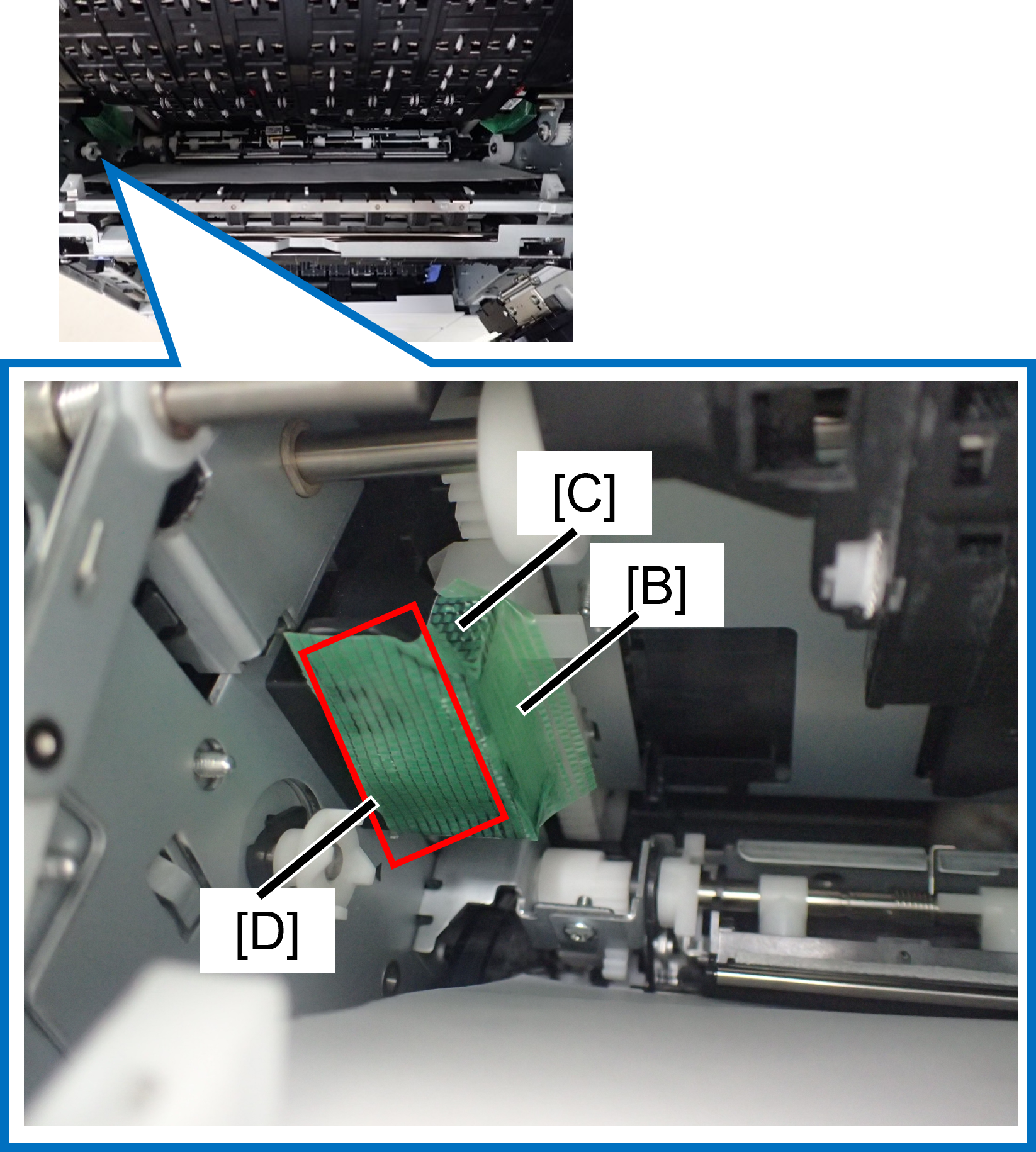
  3. Insert the cap transportation part (B) into place and secure with tape (C).
    Taping to the area of the motion part (D) that also serves to prevent the motion part from rubbing.
  4. Protect the motion parts (E) on the rear side of the main unit with tape.


If it is difficult to attach the cap transport parts, follow the steps below to attach it.

  1. Remove the cleaner stick (G) attached to the inside of the A cover (F).
  2. Open the Belt Unit.
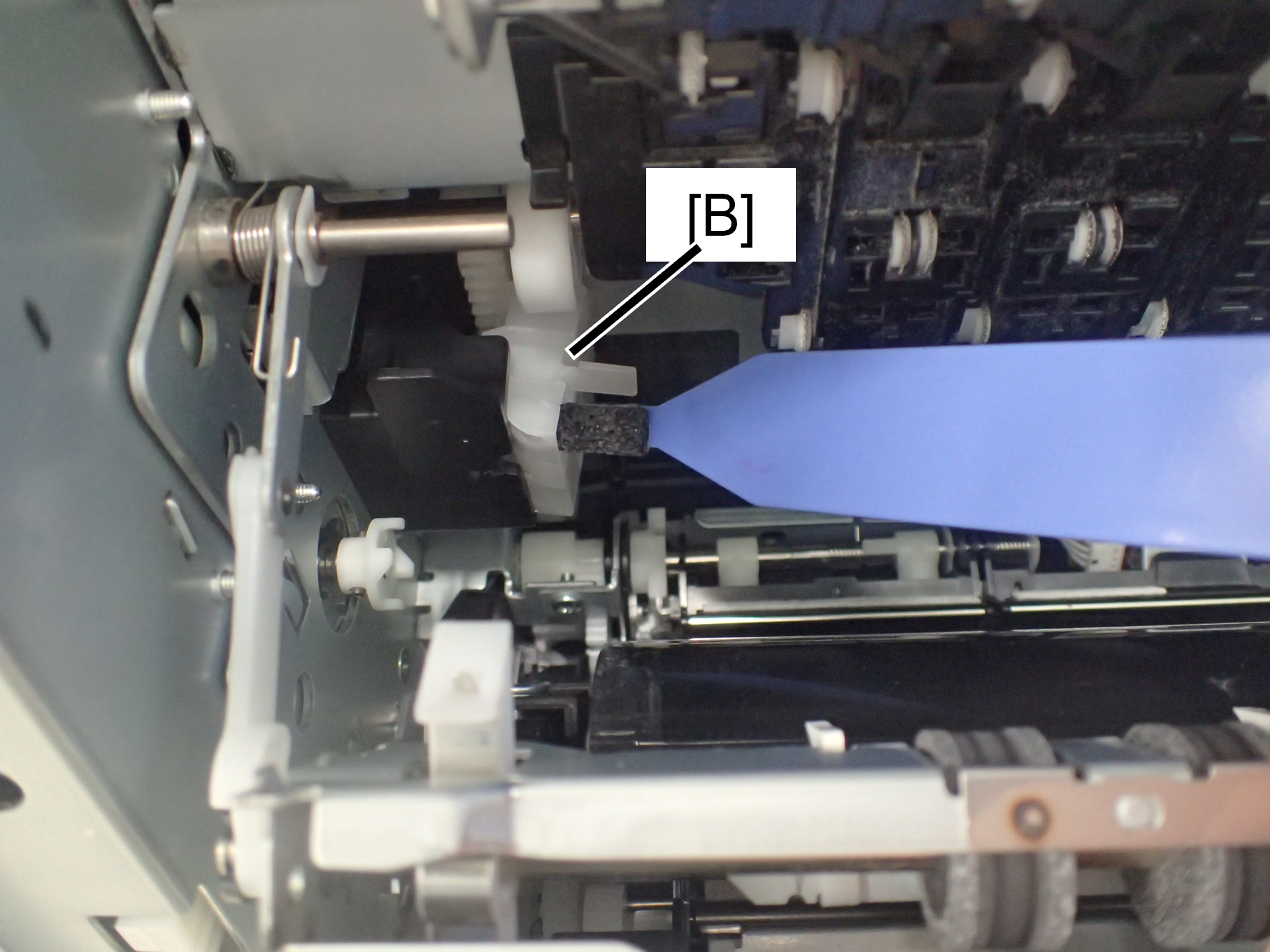
  3. Insert the cleaner stick into the groove (H) of the cap transportation parts in the direction shown below.
    *The groove width of the cap transportation parts is designed to be equal to the width of the cleaner stick.
  4. Insert the cap transportation part (B) into position. (C).


In A Cover
Protection PointDescription

Prevention of Head unit lifting gear disengagement1

  1. Remove the head transportation part1 (A) stored in the upper the A cover.
    * If the transportation parts are not stored in the position shown in the left figure, please purchase ASP.
  2. Insert the head transportation part1 (A) into the specified position.


Prevention of Head unit lifting gear disengagement2

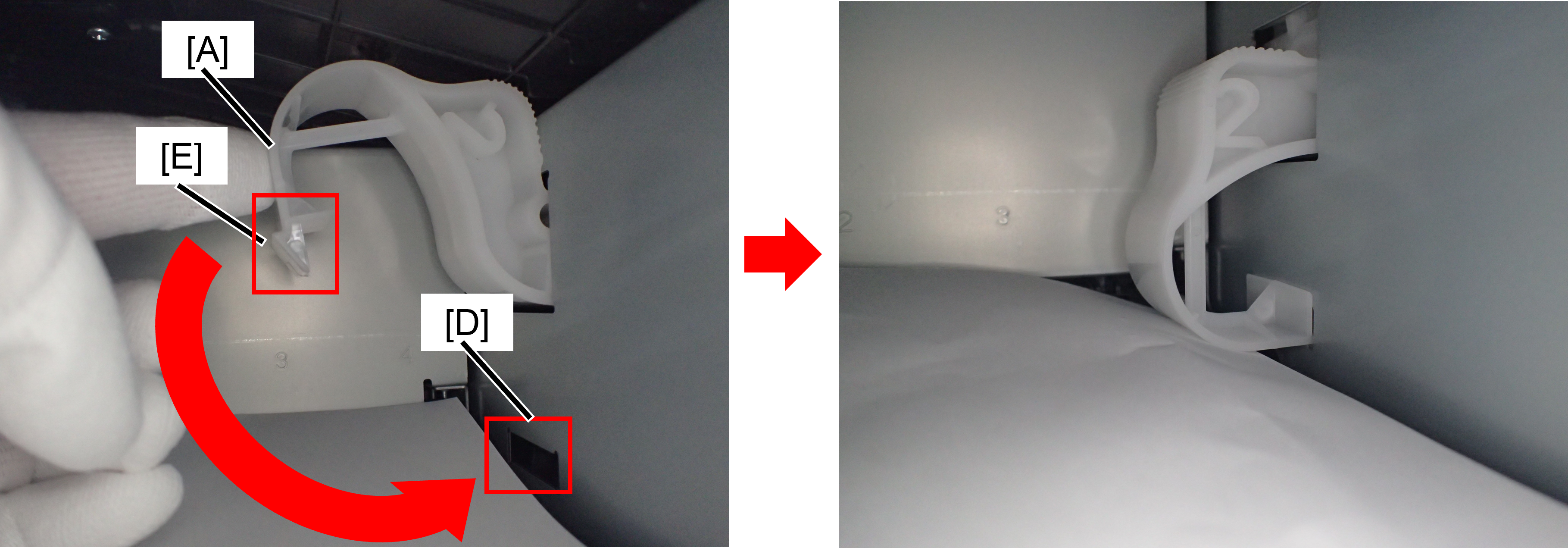
  1. Remove the head transportation part2 (A) stored on the back of the C1 cassette.
    When installing the head transportation parts2 to the C1 cassette, press the film (A) against the floor and ensure that it is not deformed. If the transportation parts are not stored in the position shown in the left figure, please purchase ASP.
  2. Place paper to prevent ink stains in the ink cartridge insertion port.
  3. Install the head shaft (C) so that 1 (B) stamped on head transportation parts2 is horizontal.
  4. Rotate the head transport parts2 and attach the hook (E) into the groove (D).
    *Make sure that the hook (E) is completely attached into the groove.


Front
Protection PointDescription

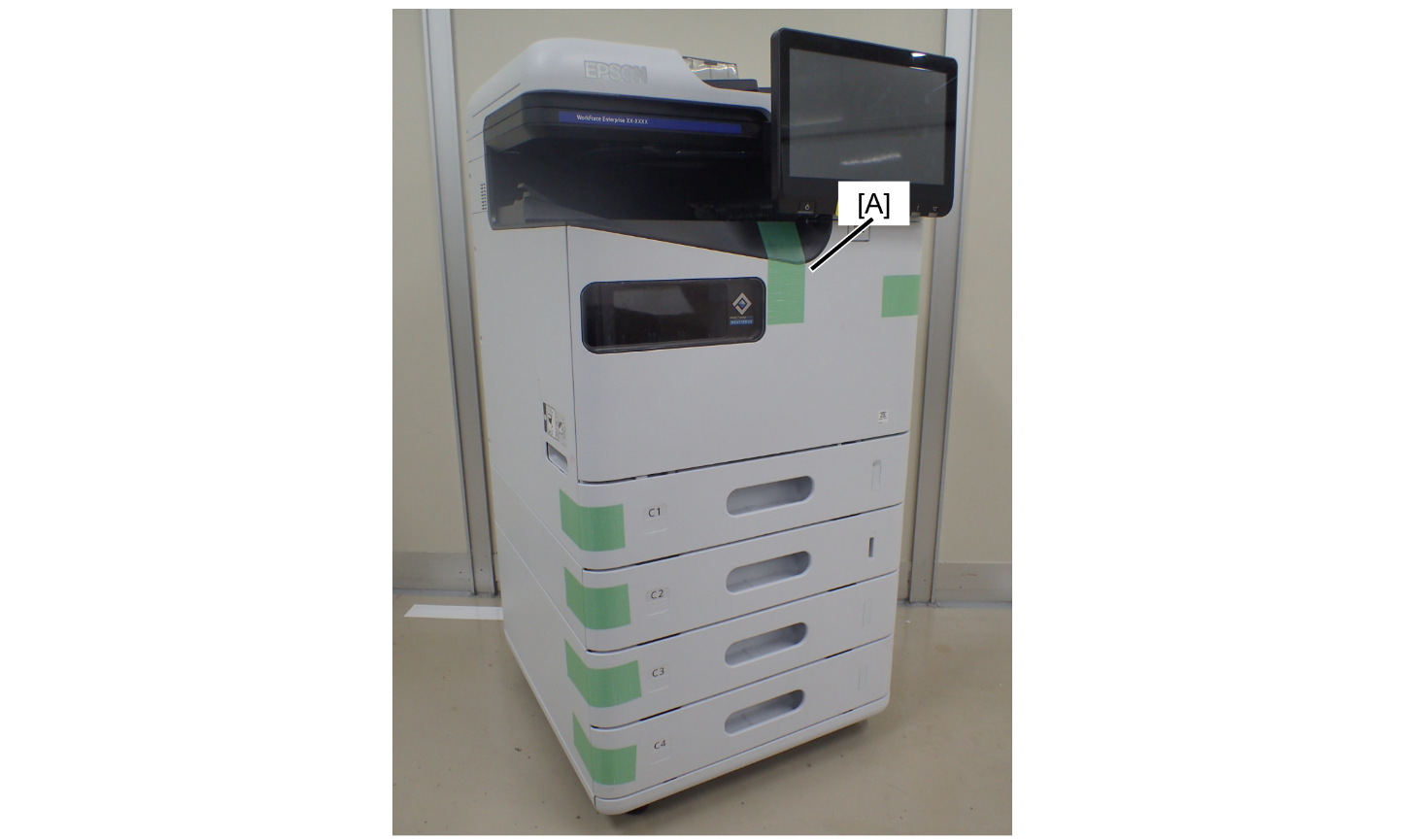
A cover opening prevention

  1. Fix the A cover with tape (A).

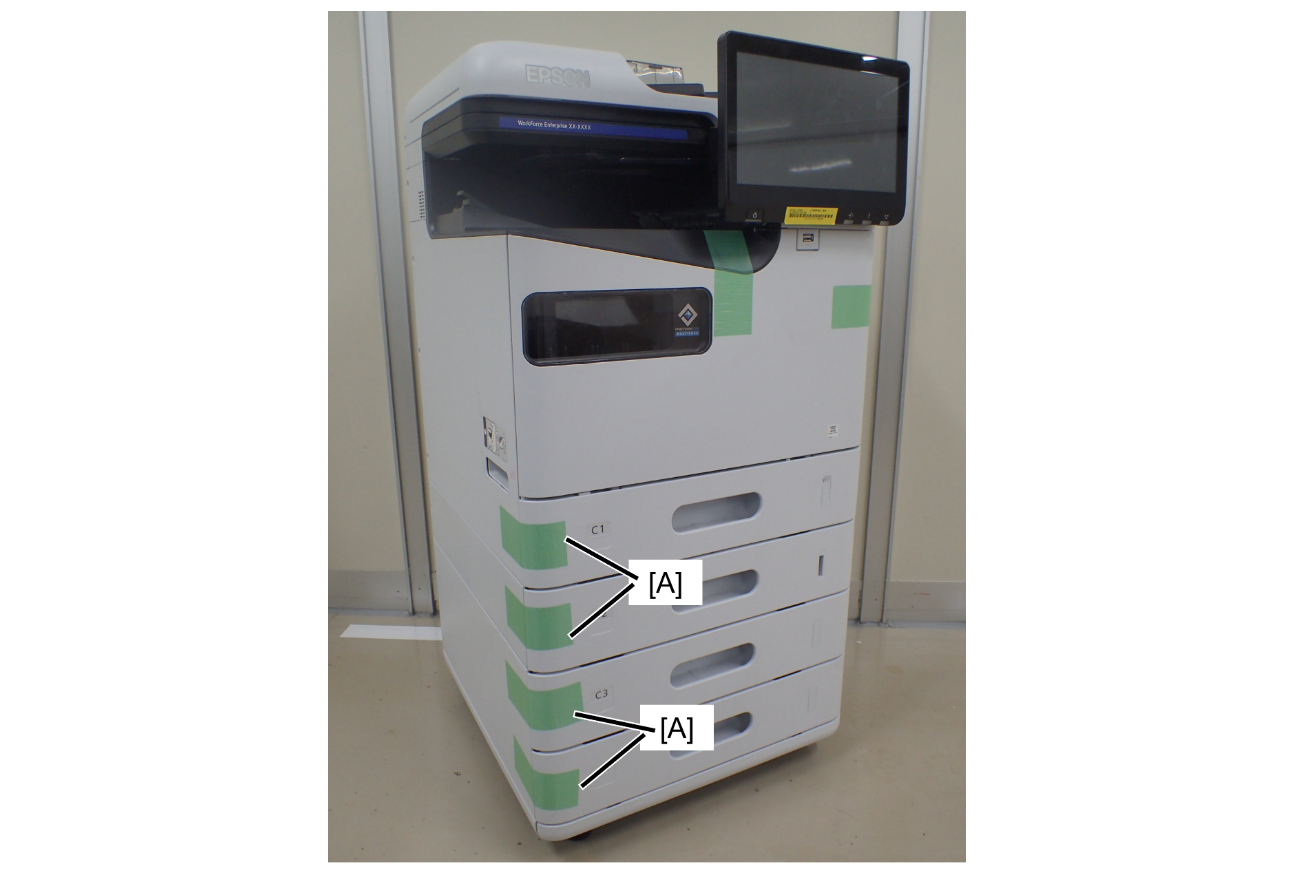
Cassette tray pop-out prevention

  1. Fix each cassette to the left side of the main unit with tape.
Right side
Protection PointDescription

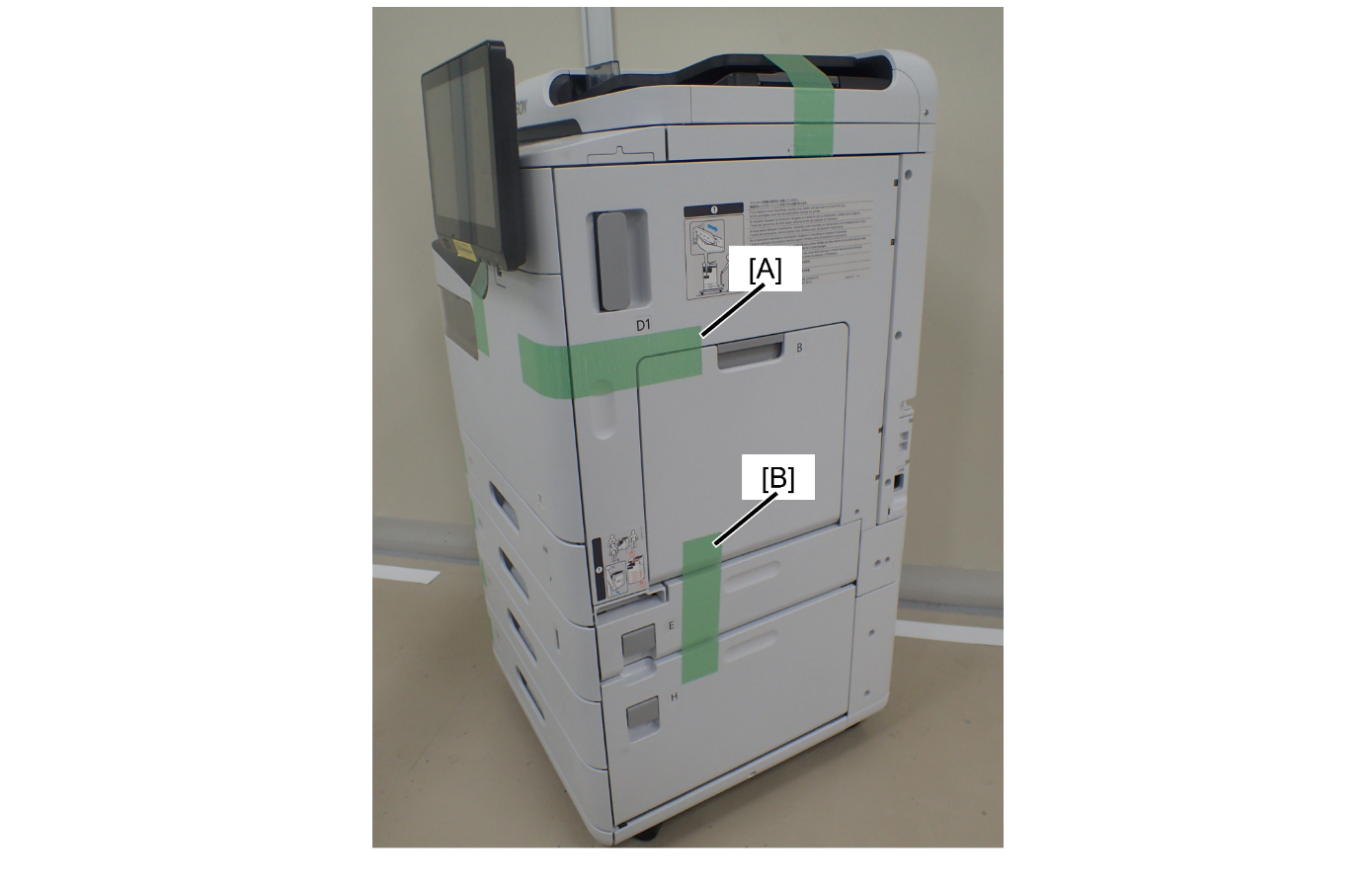
D1 cover/B cover/Ecover/Hcover opening prevention

  1. Fix the D1 cover and B cover with tape (A).
  2. Fix the B cover and H cover with tape (B).
Rear

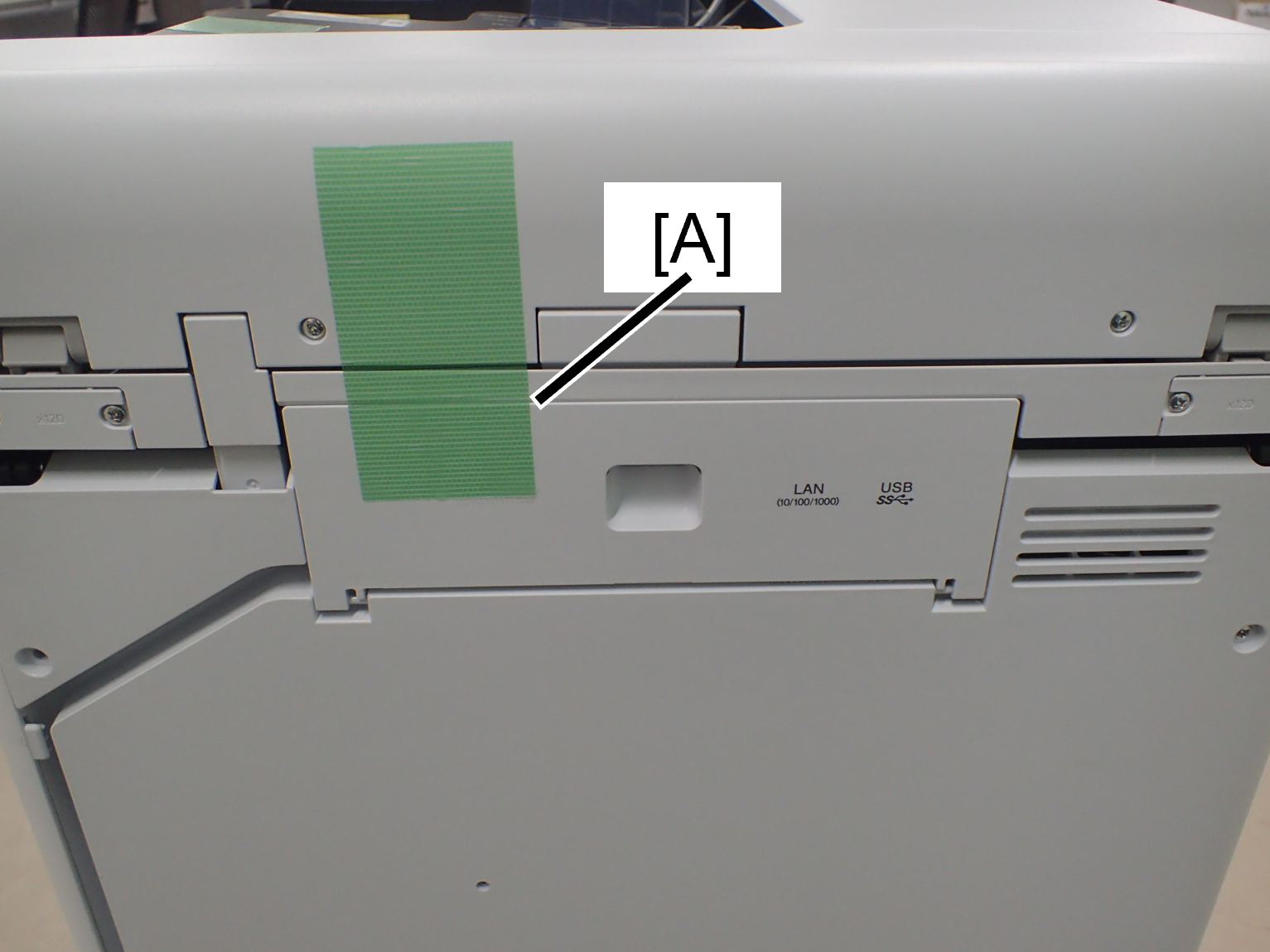
interface cover opening prevention

  1. Fix the interface cover with tape (A).
ADF/SCN
Protection PointDescription

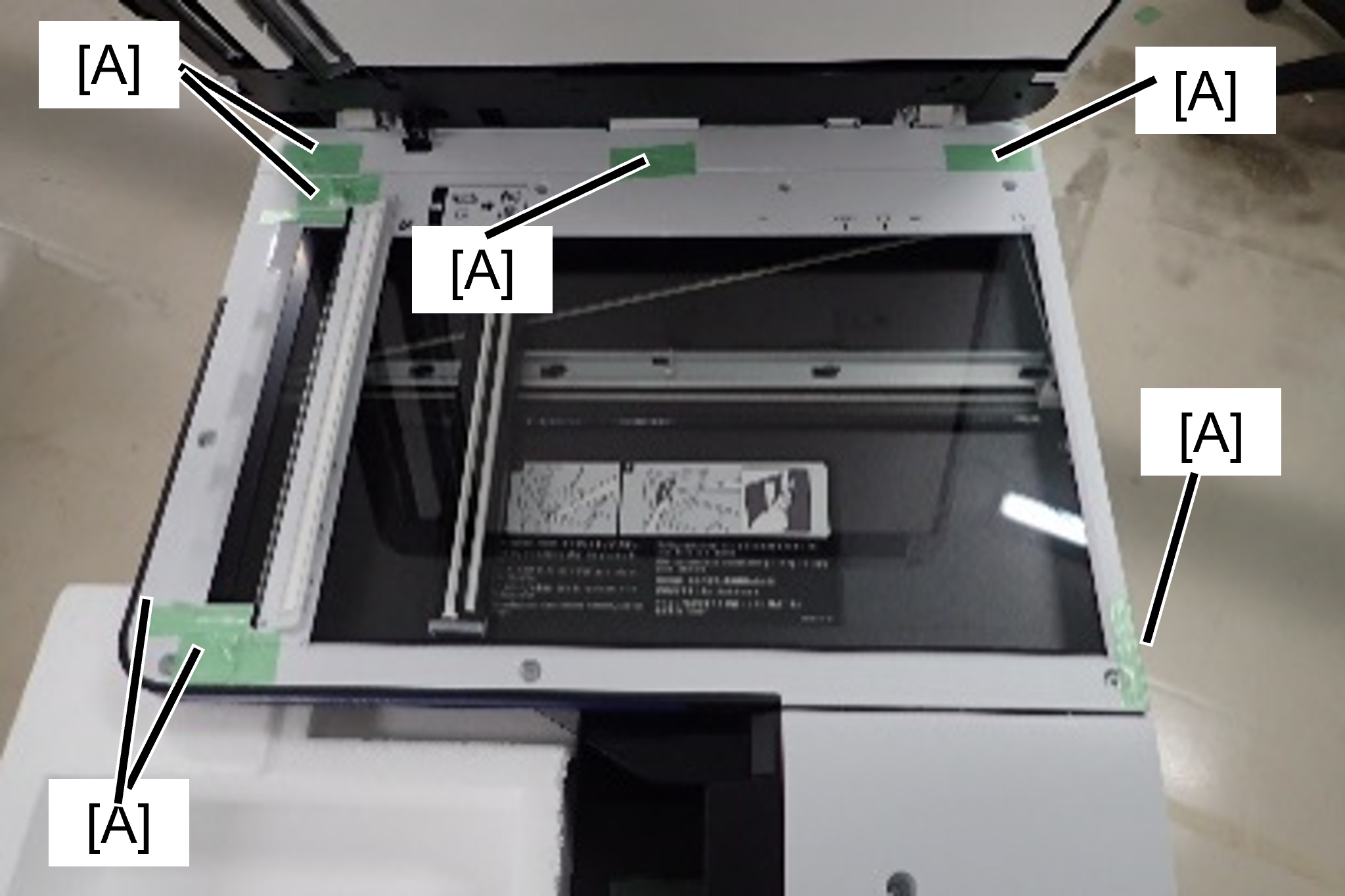
Preventing rubbing at the contact point between the flatbed of the SCN unit and the ADF unit

  1. Fix the protective tape (A) to the seven contact points on the flatbed of the SCN unit with the ADF unit.

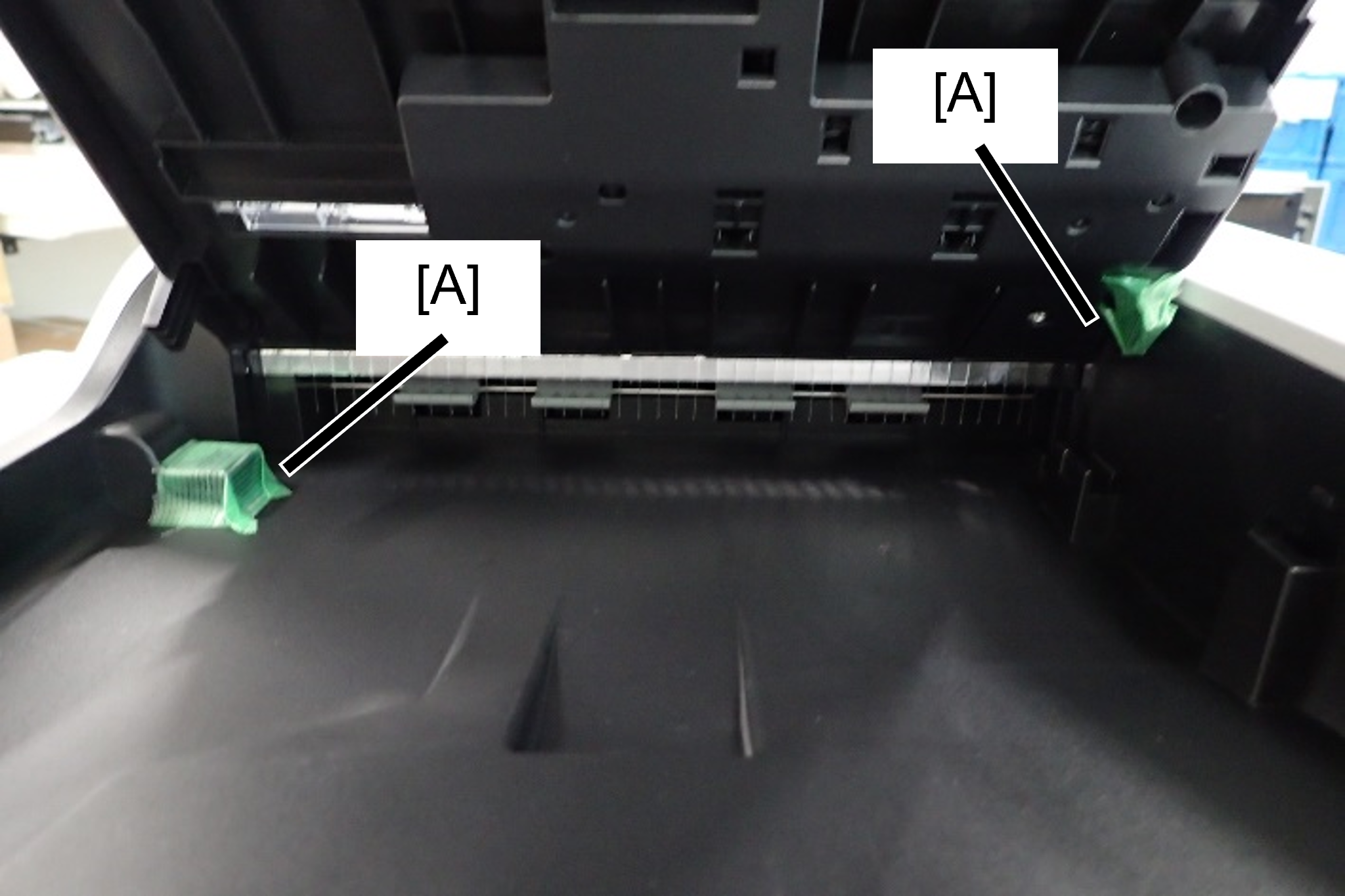
Prevents contact surface abrasion between the ADF tray and ADF output tray

  1. Attach protective tape (A) to the contact area between the ADF output tray and ADF document tray.

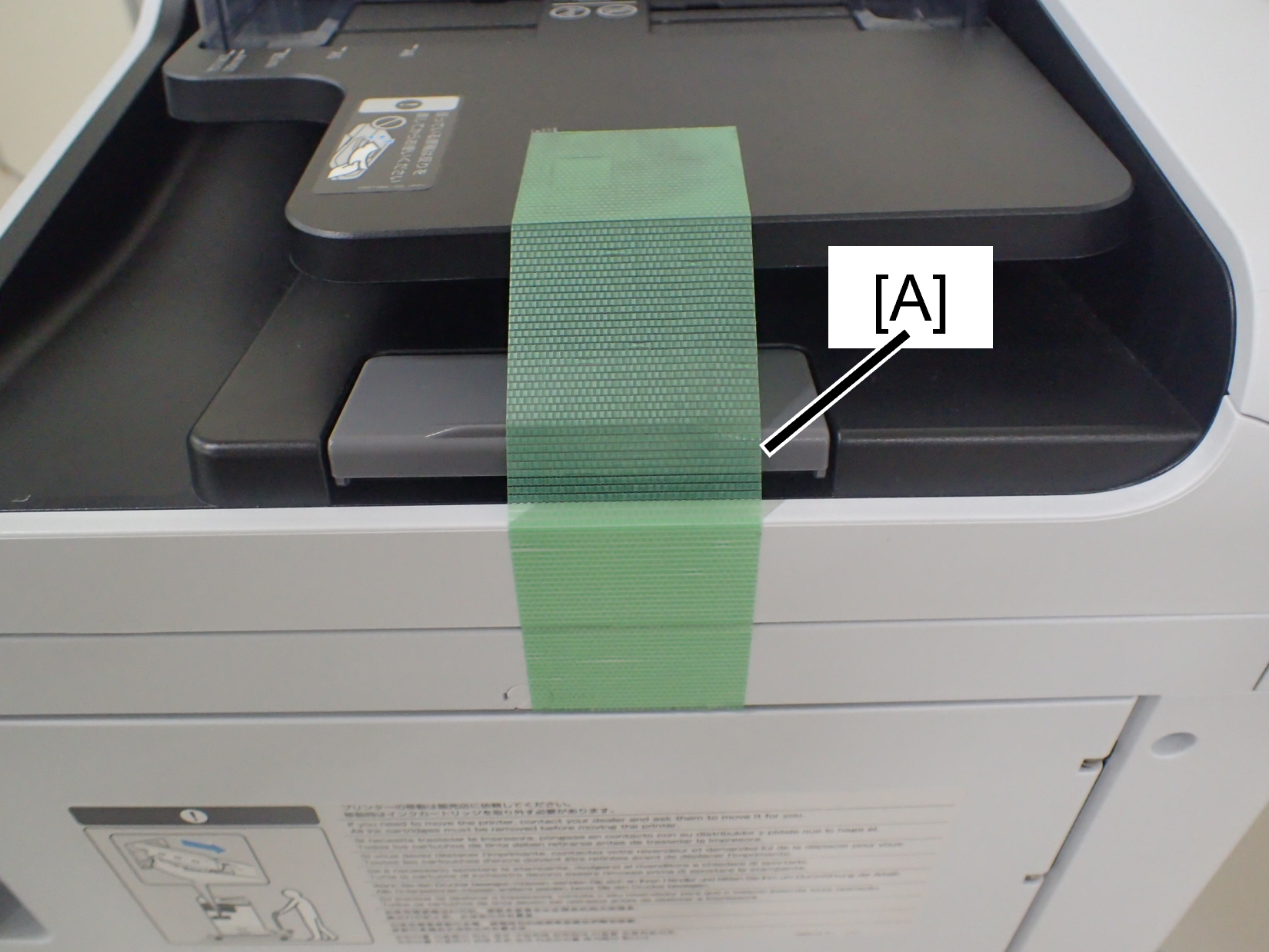
Preventing the ADF document tray from flapping

  1. Secure the tip of the ADF tray and the main unit of the ADF unit with tape.
Stabling pointDescription

ADF/SCN Unit fall prevention

  1. Insert the cushioning material included in the new product between the ADF/SCN unit and the main output tray.
    * ADF/SCN support parts are enacted in ASP.