Installation Environment
When installing, confirm that the carry-in route and the installation site are broad enough and strong enough to move and install the product.
Carrying-in space.
The carry-in route must have at least the following width / height.
 important / 重要 important / 重要 |
|
 Note / 補足 Note / 補足 |
|
Item | Packed (Printer) | Unpacked (Printer) | |
|---|---|---|---|
External dimensions | Width | 724 mm | 555 mm |
Depth | 762 mm | 620 mm | |
Height | 1,218 mm | 963 mm | |
Installation space/weight
| Note / 補足 |
|
Printer main unit + caster
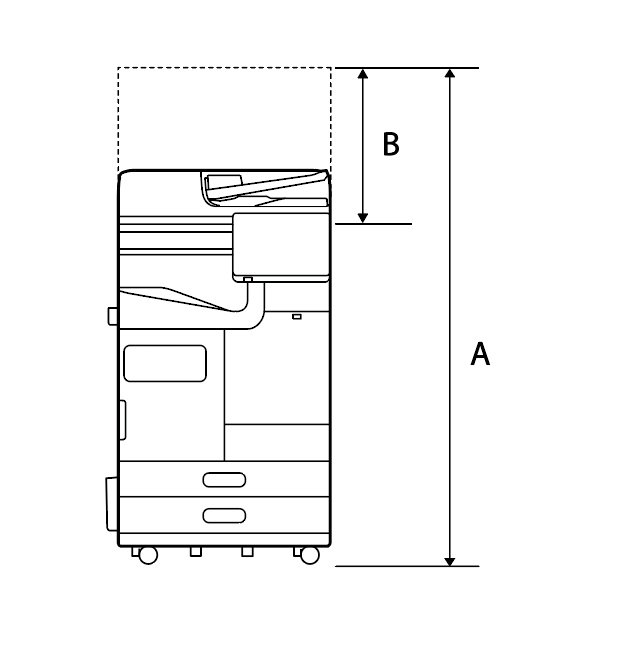
| A | 1,417 mm |
|---|---|
| B | 518 mm |
| Weight | About 110.4kg |
|---|
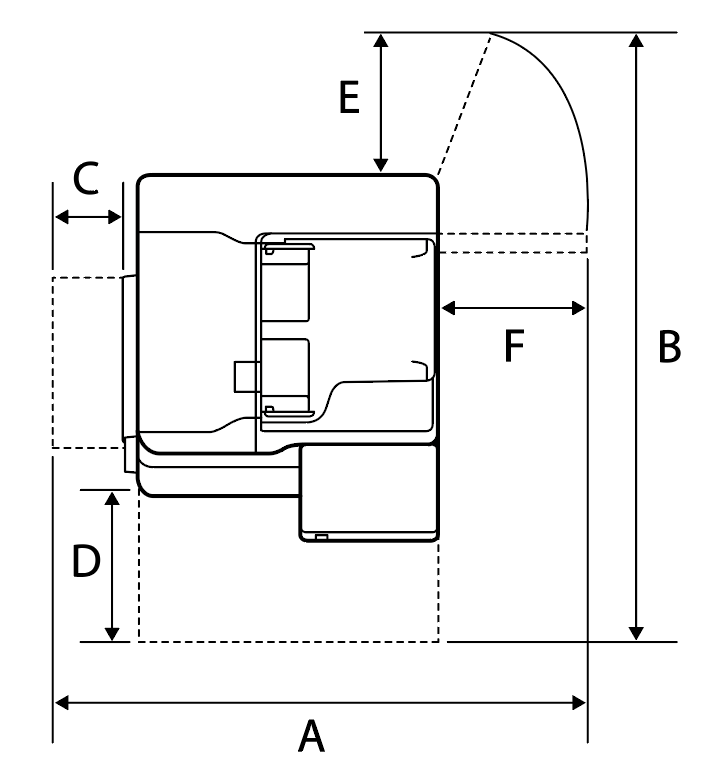
| A | 1,065 mm |
|---|---|
| B | 1,238 mm |
| C | 70 mm |
| D | 435 mm |
| E | 210 mm |
| F | 441 mm |
Printer main unit + additional cassette
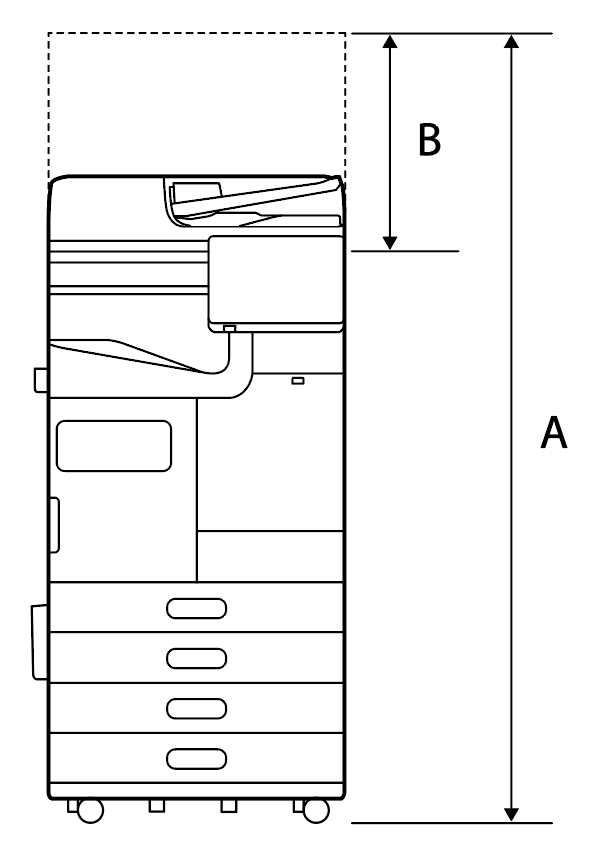
| A | 1,588 mm |
|---|---|
| B | 518 mm |
| Weight | About 135.3kg |
|---|
| A | 1,065 mm |
|---|---|
| B | 1,238 mm |
| C | 70 mm |
| D | 435 mm |
| E | 210 mm |
| F | 441 mm |
Additional cassette + floor finisher
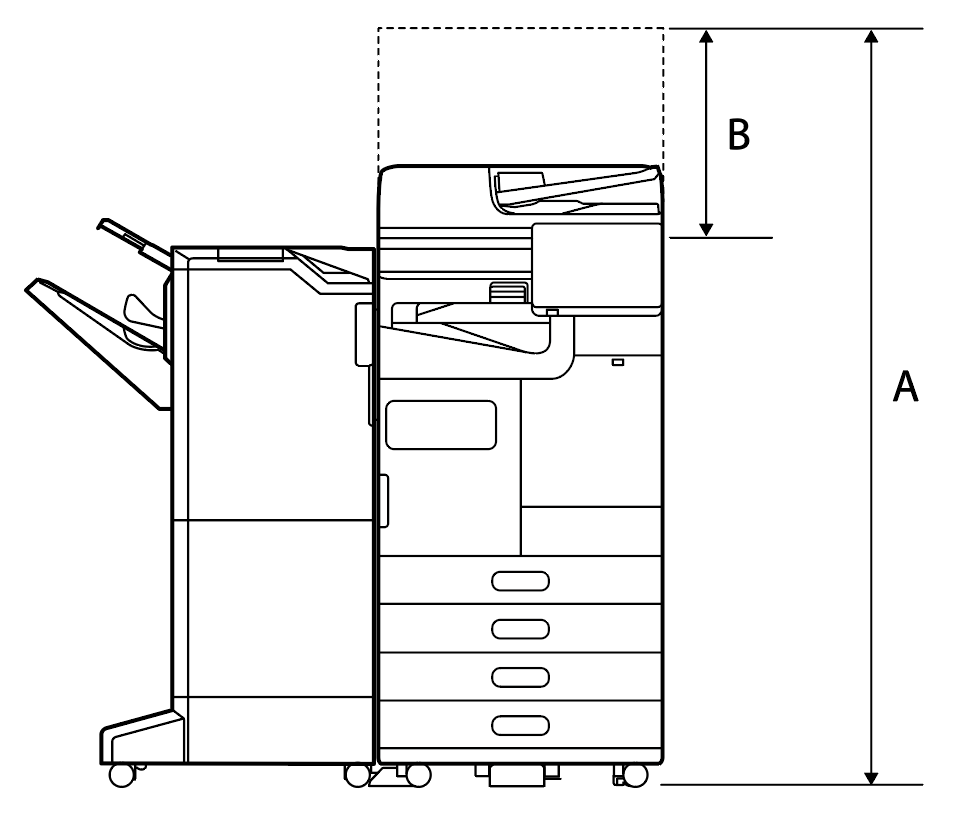
| A | 1,588 mm |
|---|---|
| B | 518 mm |
| Weight | About 185.4kg |
|---|
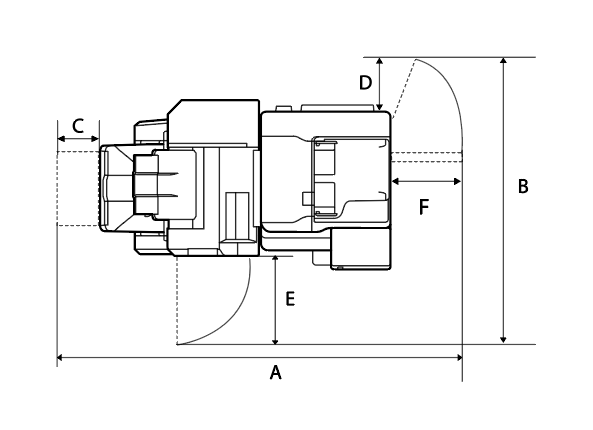
| A | 1,922 mm |
|---|---|
| B | 1,176 mm |
| C | 118 mm |
| D | 210 mm |
| E | 355 mm |
| F | 441 mm |
Additional cassette + floor finisher + saddle unit
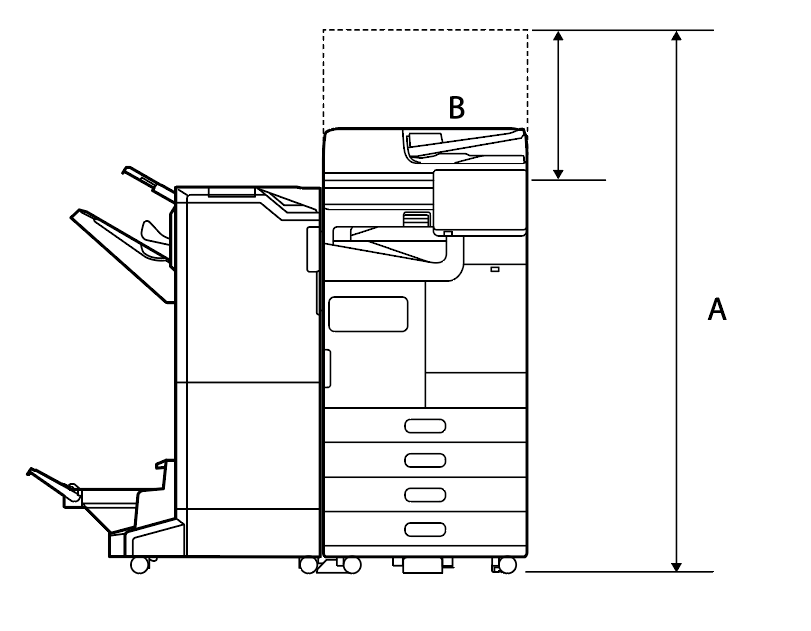
| A | 1,588 mm |
|---|---|
| B | 518 mm |
| Weight | About 207.4kg |
|---|
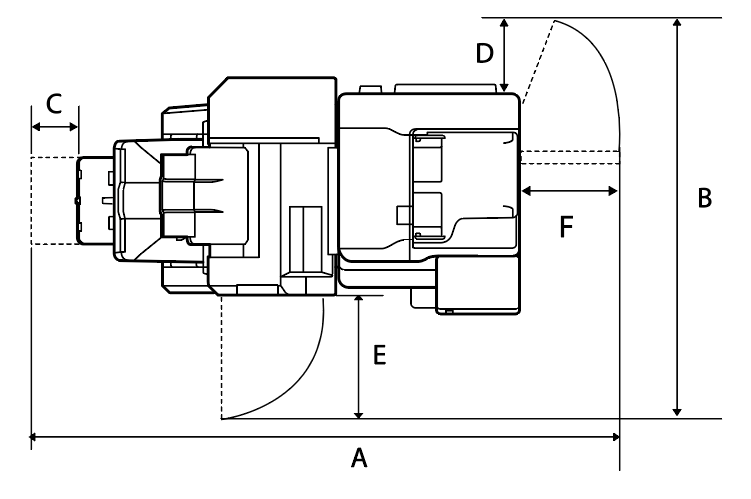
| A | 1,921 mm |
|---|---|
| B | 1,176 mm |
| C | 117 mm |
| D | 210 mm |
| E | 355 mm |
| F | 441 mm |
Additional cassette + high-capacity paper feed unit + floor finisher + saddle unit + stabilizer installed.
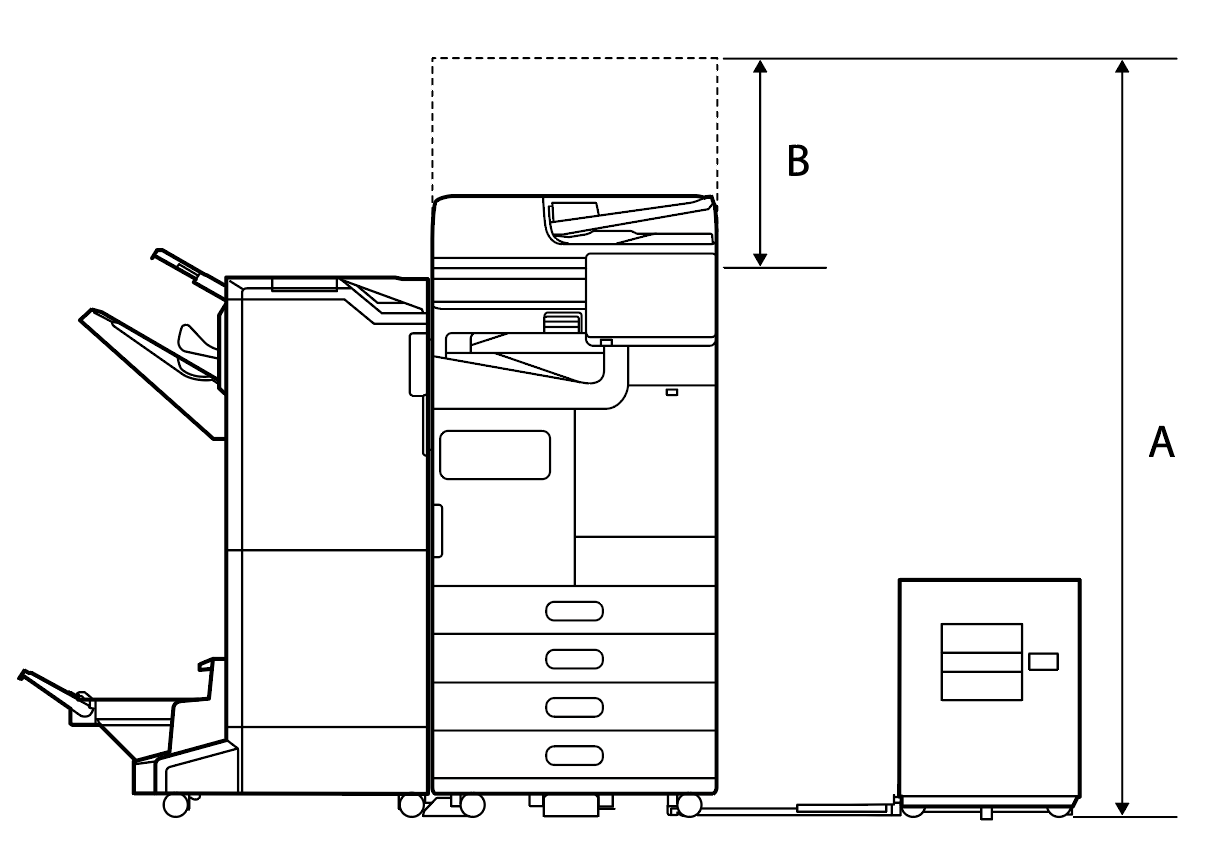
| A | 1,588 mm |
|---|---|
| B | 518 mm |
| Weight | About 226.1kg |
|---|
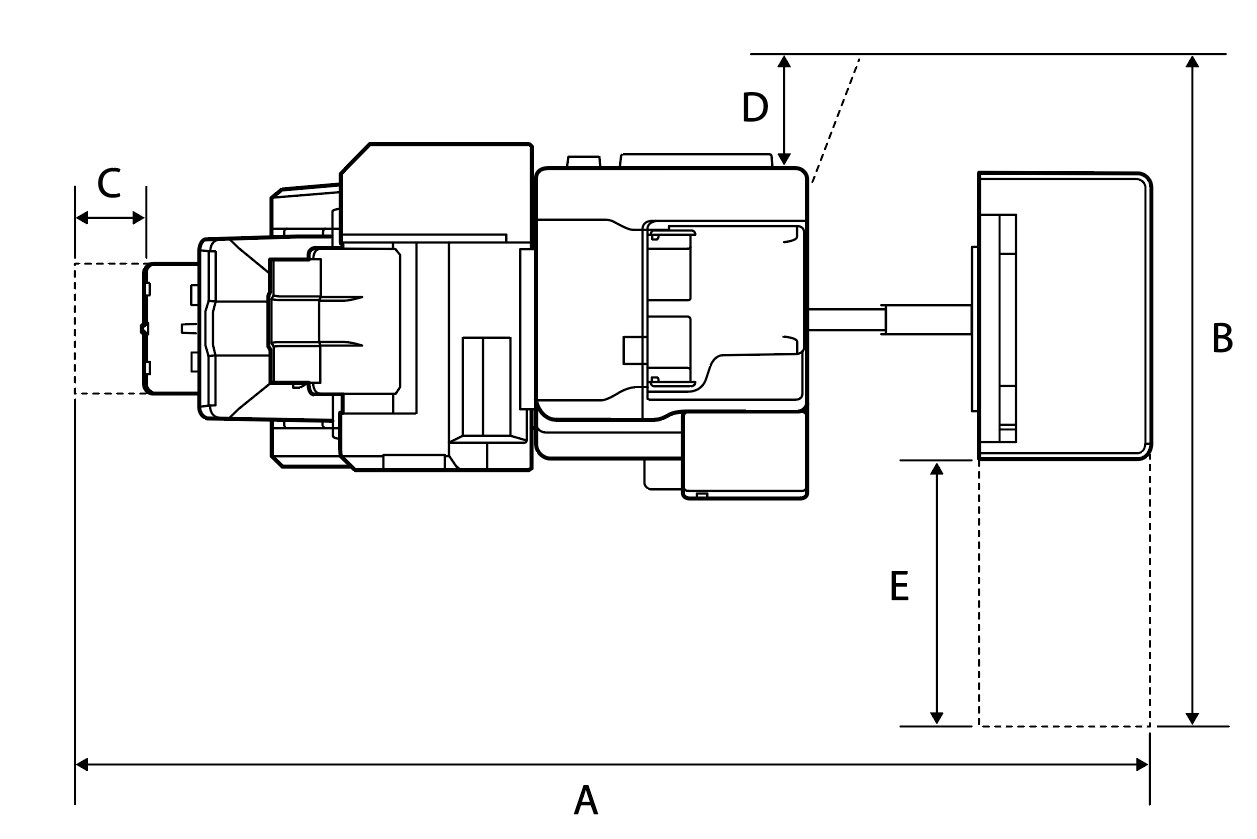
| A | 2,076 mm |
|---|---|
| B | 1,260 mm |
| C | 110 mm |
| D | 210 mm |
| E | 456 mm |
Additional cassette + inner finisher
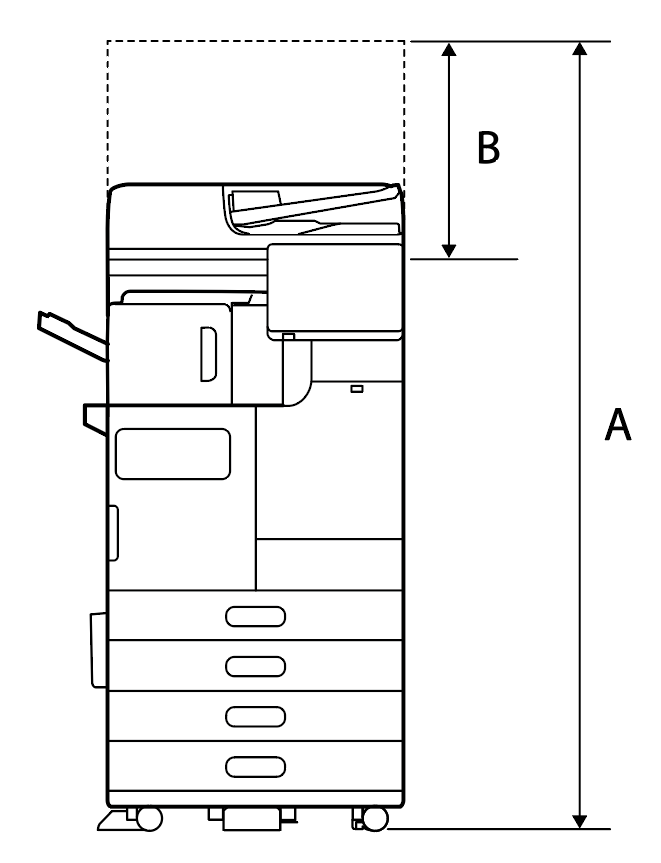
| A | 1,588 mm |
|---|---|
| B | 518 mm |
| Weight | About 144.5kg |
|---|
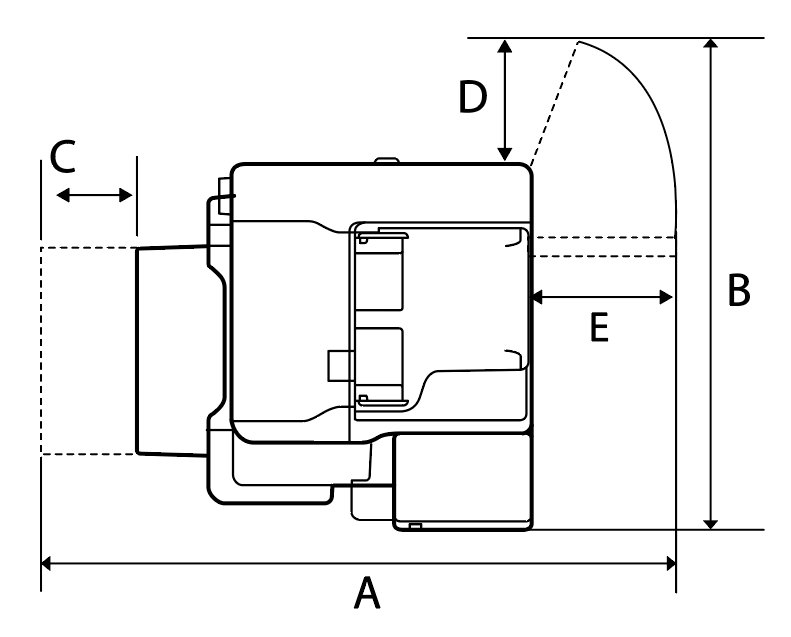
| A | 1,312 mm |
|---|---|
| B | 1,238 mm |
| C | 110 mm |
| D | 435 mm |
| E | 210 mm |
| F | 441 mm |
Additional cassette + inner finisher + inner punch
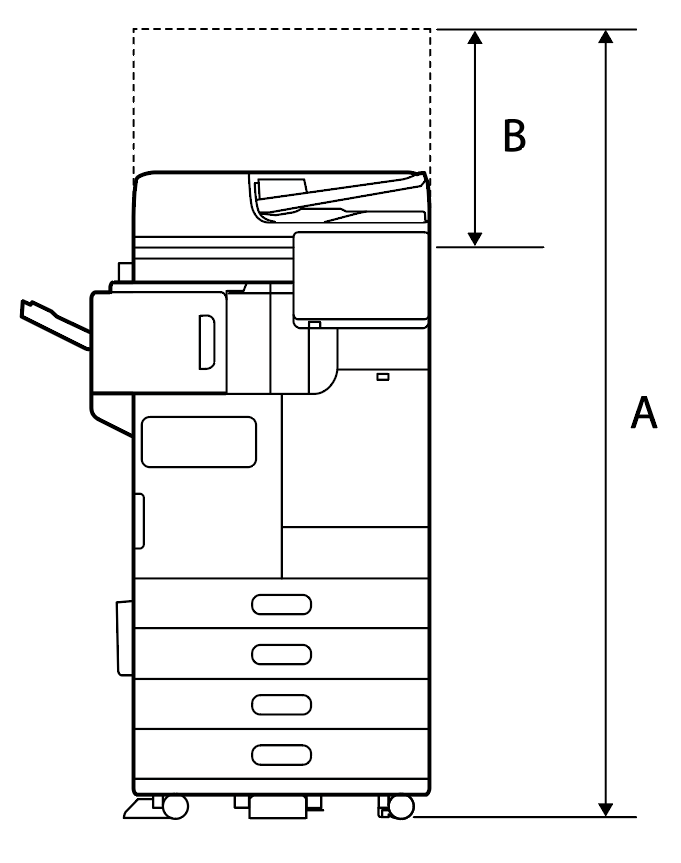
| A | 1,588 mm |
|---|---|
| B | 518 mm |
| Weight | About 148.3kg |
|---|
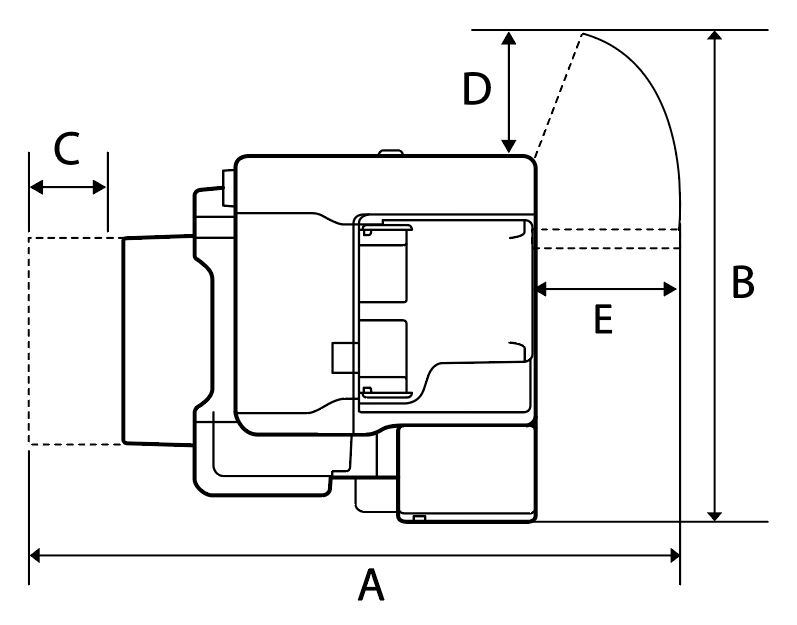
| A | 1,385 mm |
|---|---|
| B | 1,238 mm |
| C | 110 mm |
| D | 435 mm |
| E | 210 mm |
| F | 441 mm |
Additional cassette + high-capacity paper feed unit + inner finisher + inner punch + stabilizer installed.
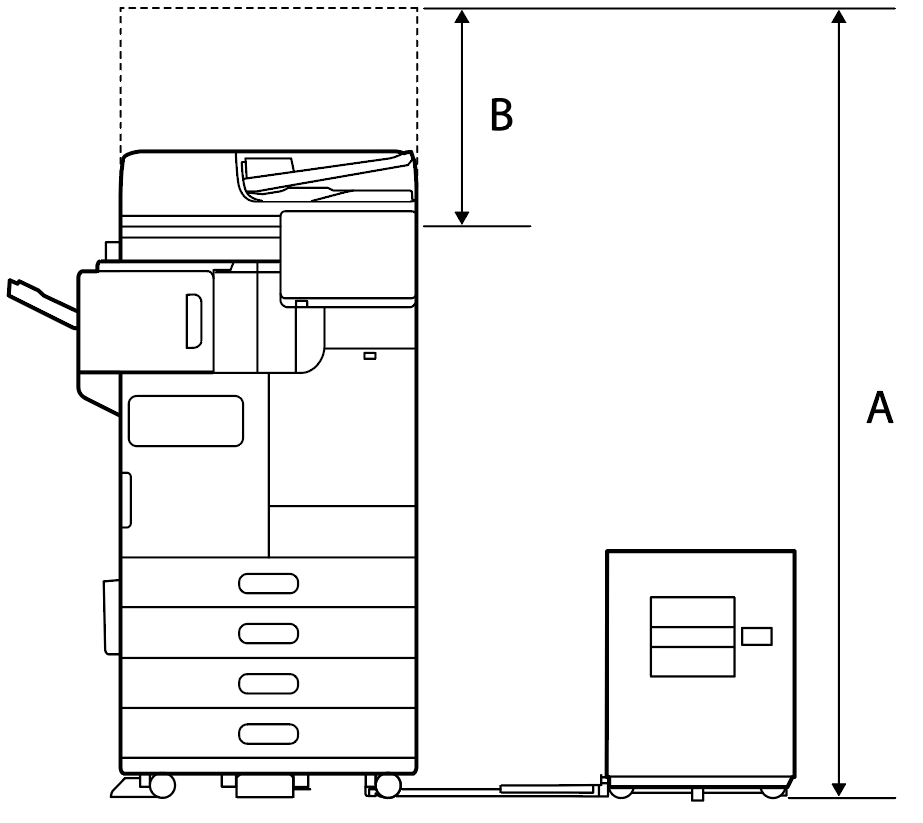
| A | 1,588 mm |
|---|---|
| B | 518 mm |
| Weight | About 172.3kg |
|---|
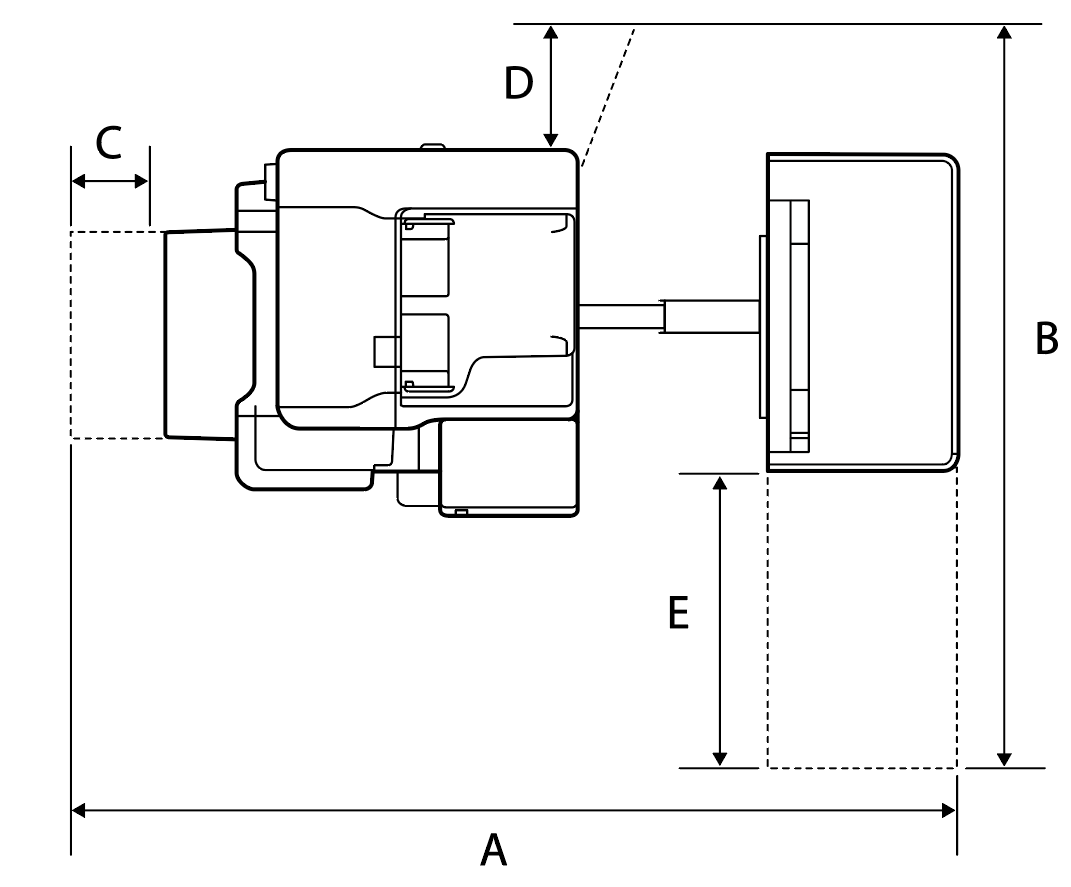
| A | 1,665 mm |
|---|---|
| B | 1,260 mm |
| C | 110 mm |
| D | 210 mm |
| E | 456 mm |
Installation environment
It may not be possible to maintain the operation quality of the product depending on ambient environmental conditions such as outside air. Therefore it is recommended that the product be used within the operating temperature and humidity ranges described below.
Location to avoid the installation
- Location subjected to direct sunlight such as near a window
- Location subjected to vibrations frequently
- Location subjected to a sudden change in temperature and/or humidity
- Location subjected to cold or hot air directly from an air conditioning or other device
- Closed environment with bad breathability, bad ventilation
Product
Items | Operation guarantee | Print quality guarantee | Feeding paper reliability guarantee |
|---|---|---|---|
temperature | 5 to 40 °C | 10 to 35 °C | 18 to 28 °C |
Humidity | 15 to 80 % (non-condensing) | 35 to 70 % | |
Items | Operation possible |
|---|---|
Installation posture | Within +/- 3°. |
| important / 重要 |
|
Ink cartridge
Items | Operation guarantee | Package storage reliability | Reliability when installing the Main Unit | Reliability during packing transportation |
|---|---|---|---|---|
temperature | 5 to 40 °C | -30 to 40 °C | -20 to 40 °C | -30 to 60 °C |
Humidity | 15 0 - 80 % (non-condensing) | 15 - 85 % (non-condensing) | ||
Power Supply
Rated voltage | AC 100-240 V | |||
|---|---|---|---|---|
Rated current | 4.0-2.0 A | |||
Rated frequency | 50/60 Hz | |||
| Power consumption (when connected to wired LAN) | Model | AM-C6000 | AM-C5000 | AM-C4000 |
| When copying (ISO/IEC24712 print pattern) | about 110 W | about 115 W | about 115 W | |
| When ready | about 46 W | about 46 W | about 46 W | |
| When sleep mode | about 0.9 W | about 0.9 W | about 0.9 W | |
| When turn off | about 0.1 W | about 0.1 W | about 0.1 W | |
| Maximum Power Consumption | about 190 W | about 190 W | about 190 W | |
Notes on the floor condition when installing the High Capacity Unit
Depending on the condition of the floor material (such as floor material with a high cushioning property), the Main Unit may sink, and the positional relationship between the paper paths of the High Capacity Unit and the Main Unit may be out of the specification. It may cause paper feeding failure as side registration misalignment and paper jams.
Confirm the condition of the floor before installation, and the positional relationship between the paper paths of the High Capacity Unit and the Main Unit after installation.
Floor condition
- The floor should be horizontal and flat
- If there is the carpet at the install location, the length of the bristle feet should be within 4mm (regardless of fiber hardness or density)
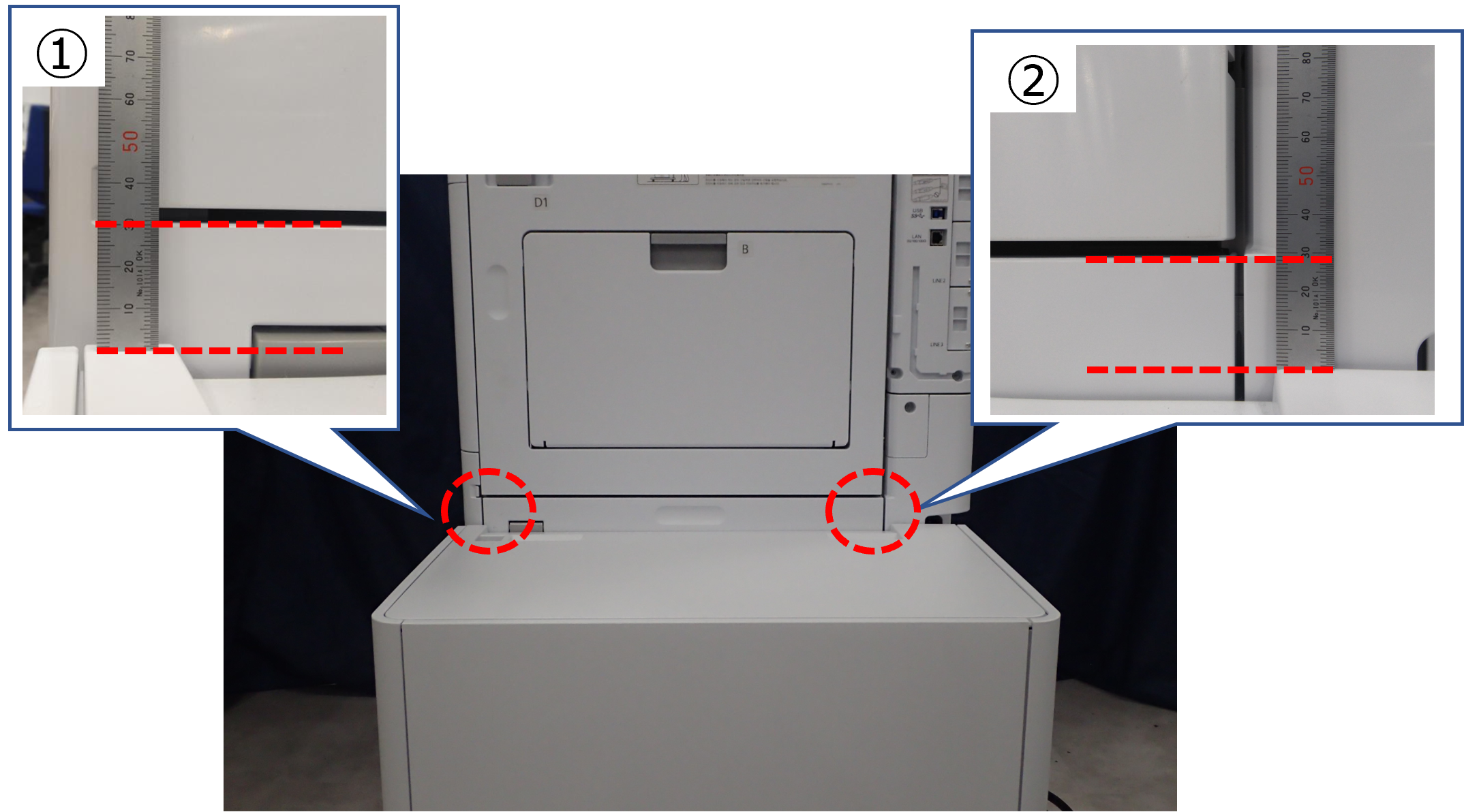
The height and horizontal specification between the High Capacity Unit and the Main Unit
Horizontality of front side ① and rear side ②: ①-② = within ±1mm
| Note / 補足 |
|