
Additional Network Settings
Preparations before setting the additional network function
Confirm that the following work has been completed.
Update the firmware of the additional network interface board.(Firmware Update)
 Note / 補足
Confirmation Method
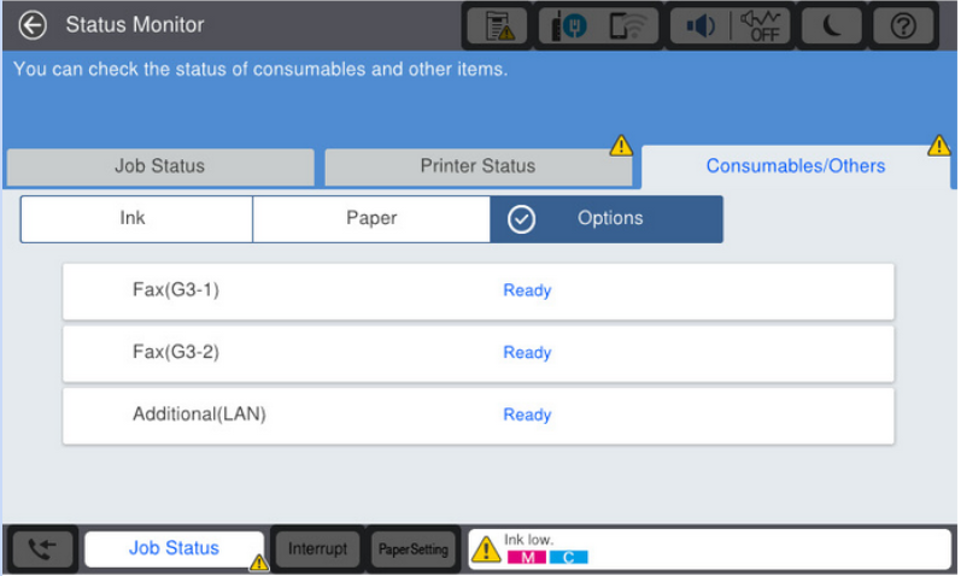
After updating the firmware, tap [Job / Status] > [Printer Status] > [Options] to check the status of the Additional LAN.
When the firmware is updated properly, the status of the "Additional (LAN)" is displayed as "Ready".
Additional Network Functions Settings
IP Address Setting Method
- Select [Home] > [Settings] > [General Settings] > [Network Settings].
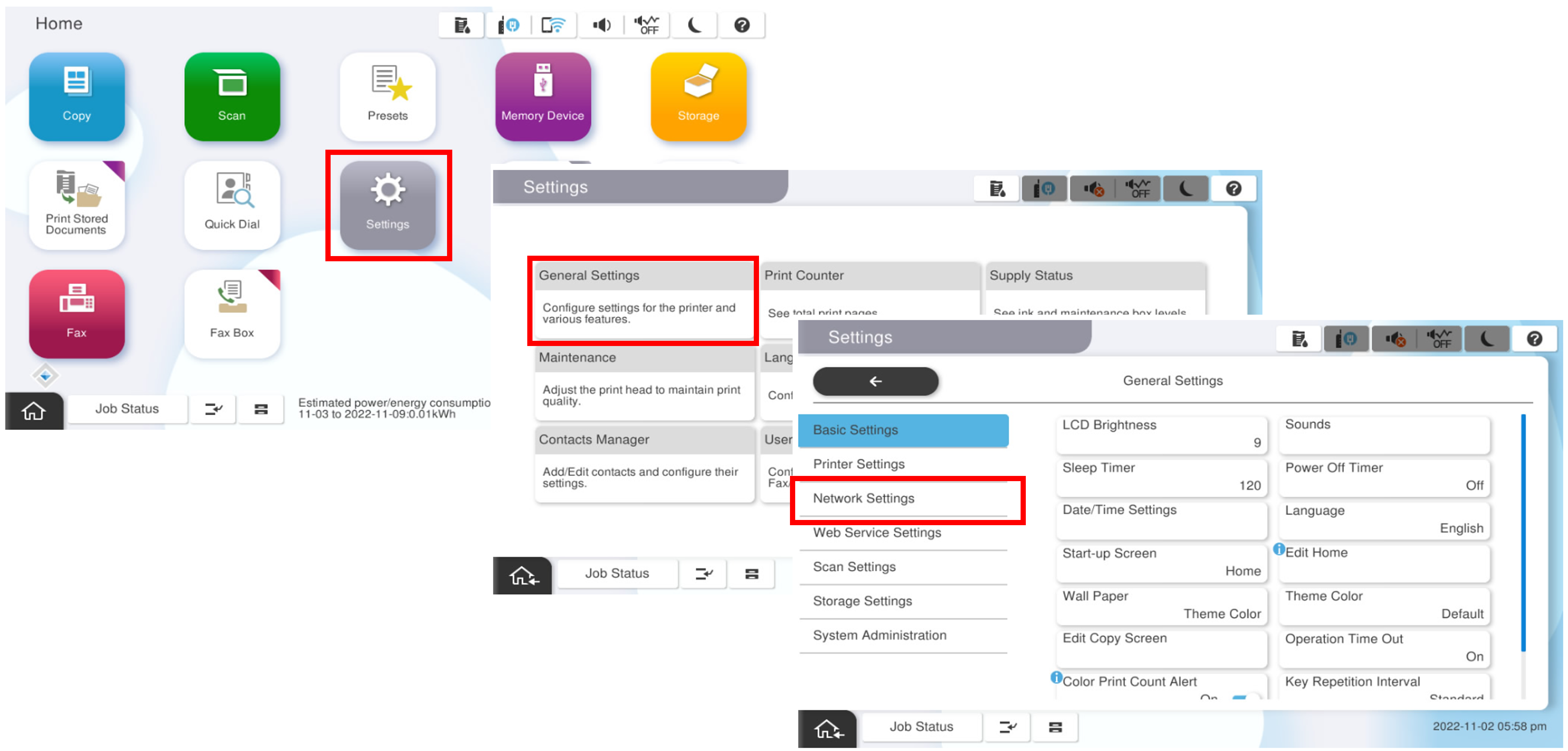
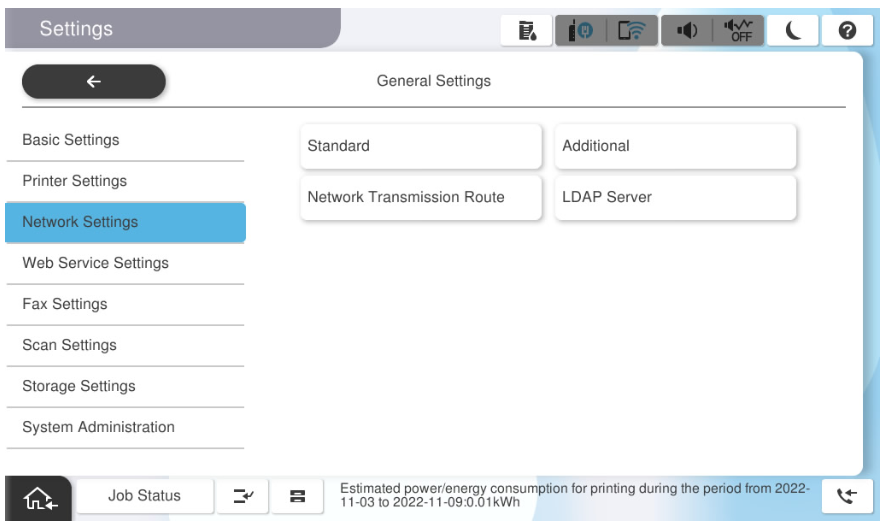
Select [Additional].
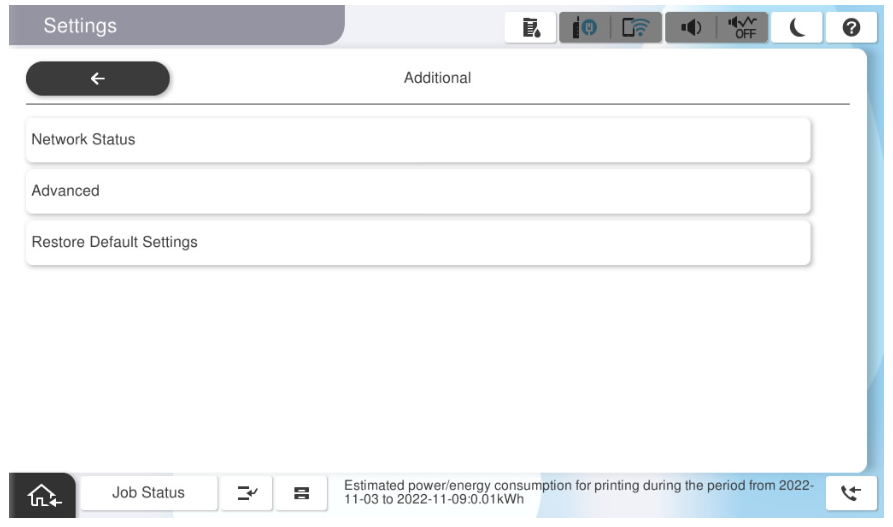
* When setting the standard network, select [Standard].- Select [Advanced].
When the password entry screen is displayed, enter the administrator's password for the additional network.
Note / 補足The initial password is the "last 8 digits of the MAC address" of the Additional network interface. (Example: "92E0A084" for 38: 9D: 92: E0: A0: 84)
The MAC address can be confirmed either on the network information of the additional network, the network status sheet, optional unit packaging, or the label on the additional network board.
- Select [TCP/IP].
After selecting "Manual", select [IP Address] and enter the IP address.
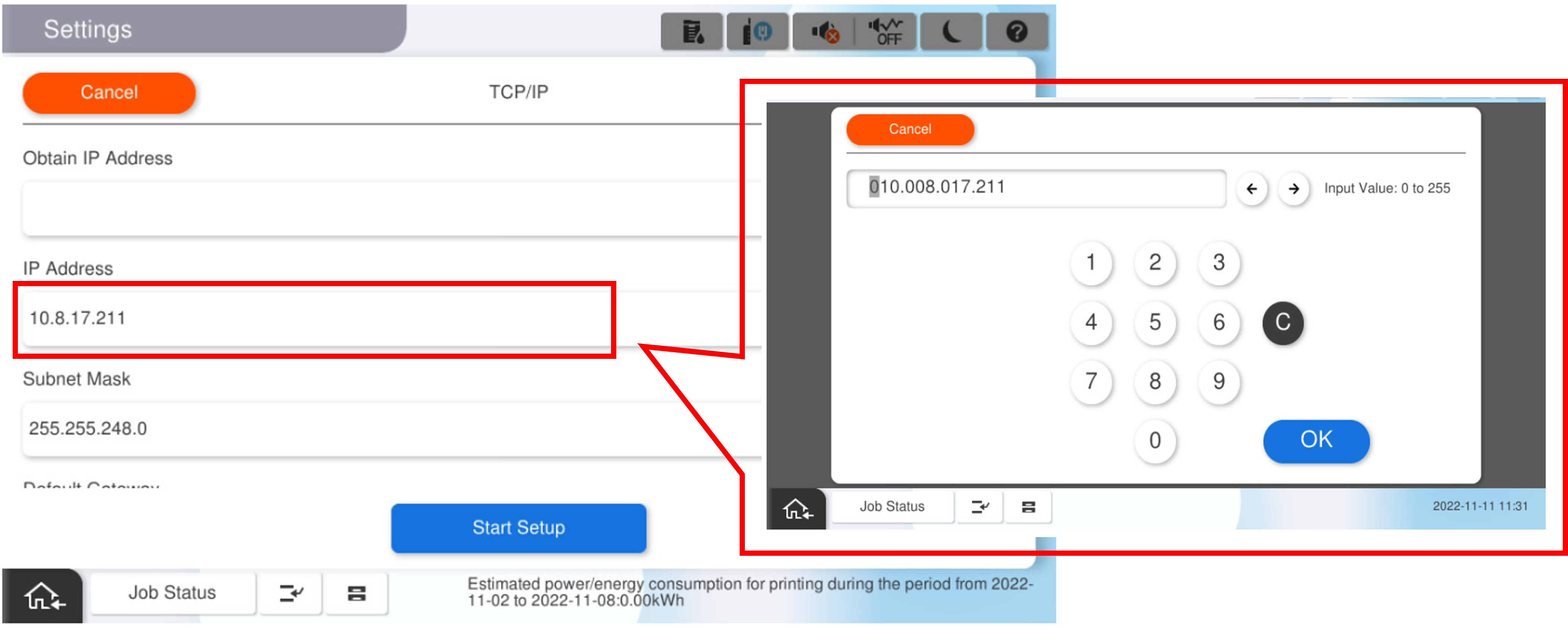
Enter the subnet mask and default gateway in the same way.
 important / 重要
- If the IP address, subnet mask, and default gateway are invalid, the [Start Setup] button will not be activated and the setting cannot be continued. Confirm the manual entry is correct.
Select [Start setup].
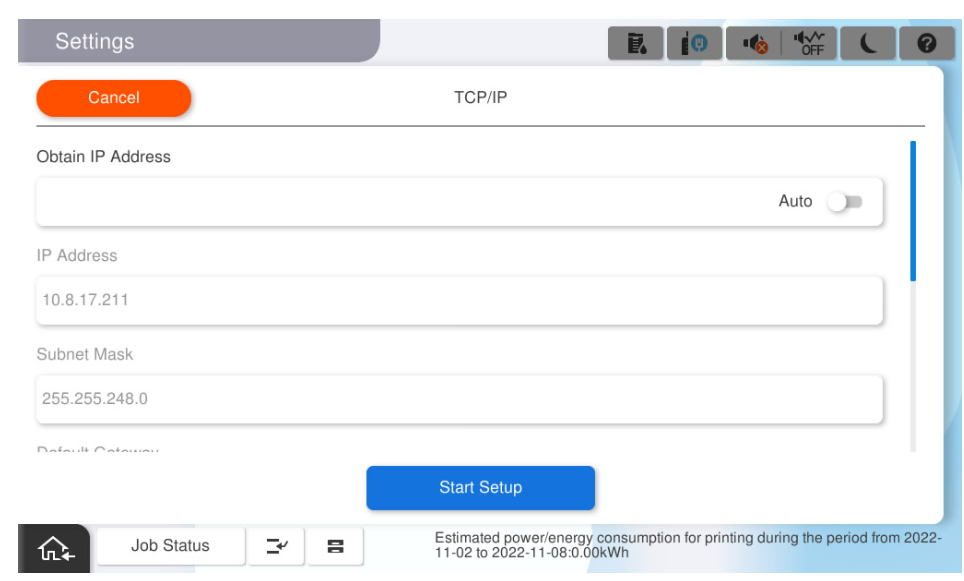
Confirm that the setting completion screen is displayed.
Additional Network and Standard Network Specifications Differences
| Function | Standard Network | Extension Network | Remarks | |
|---|---|---|---|---|
| Print | Standard TCP / IP Print |
|
| |
| WSD Print |
|
| ||
| Bonjour Print (Mac) |
|
| ||
| IPP Print (Win / Mac) |
|
| ||
| Google Cloud Print |
| - | ||
| FTP print |
|
| ||
| Scan | WSD Scan |
|
| |
| Epson Scan |
|
| ||
| Document Capture Pro |
|
| ||
| ICA Driver-Scan (Mac) |
|
| ||
| AirPrint |
|
| ||
| Scan |
|
| ||
| Fax Out |
|
| ||
| E-mail Notification |
|
| ||
| PC-FAX |
| - | ||
| Epson Print Admin Serverless |
|
| ||
| Epson Connect |
| - | ||
| Epson Open Platform |
| - | ||
| Epson Firmware Updater |
| - | ||
| EPSON ES Agent |
| - | ||
| EPSON DS Agent |
| - | ||
| Epson Device Admin |
| * | Only network-related settings are possible for the extension network. | |
| Box Function |
| * | See the table below for Box function support. | |

| Function | Support | Remarks | |
|---|---|---|---|
Box Browsing and Operation | - | ||
Box Document Storage |
| ||
Box Document Output | - | ||
Send e-mail | * | Supported only when the transmission route selection setting is set to the extension NW. | |
Save to a shared folder. (SMB/FTP/SharePoint) | * | ||