
2050102 Punching Position Adjustment (Main Scan) (H/W)
The punch hole position in the sheet conveying direction is adjusted by means of the mounting position of the inner punch unit.
Start the installation mode.


Select [02 Initial Settings and Operation Check]
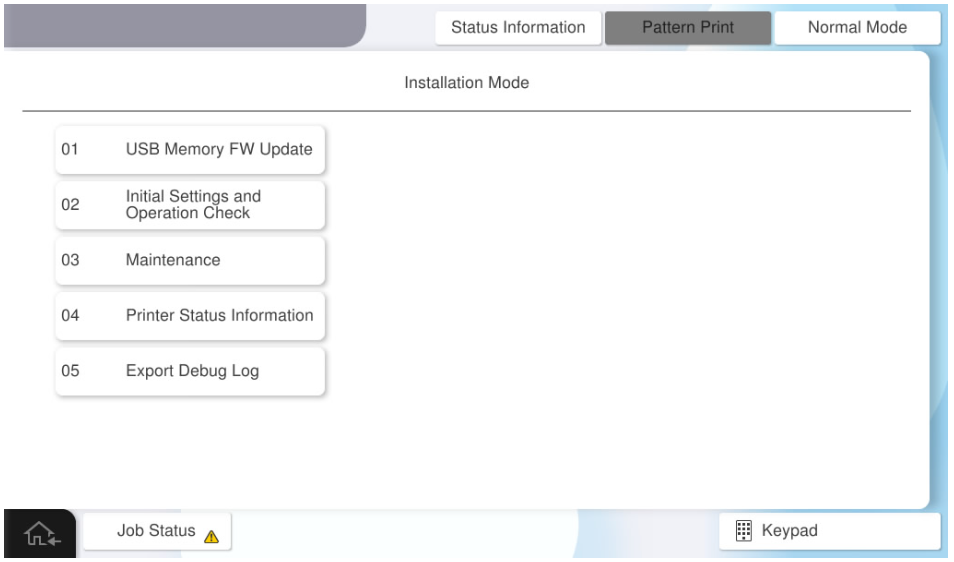
- Select [Inner Finisher] tab.
Select [2050102 Punching Position Adjustment (Main Scan) (H/W)].
Press each setting item button to set the print settings.
The parameters that can be set are as follows. Check Point / チェックポイント
One sheet of paper is required to output the adjustment pattern.
Setting Items Choice Feed Tray C1, C2, C3, C4, MP Tray, High Capacity Tray Paper Size A4 (Vertical), Letter (Vertical) - Press [Execute] to output the adjustment pattern.
- Fold the adjustment pattern so that the printed side of the adjustment pattern faces inside.
- Marking is performed on the offset positions of the overlapping holes of the adjustment pattern. If the holes are not misaligned, no adjustment is necessary.

Open the alignment pattern and measure the distance (#3) between the marking and the hole outline.
Convert the measurement result (#3) to an adjustment value.
Check Point / チェックポイントAdjustment value calculation method: Adjustment value = measurement result ÷ 2
Example) If the measurement result is 3 mm ⇒ Adjustment value = 1.5 mmChange the mounting position of the inner punch unit.
- Pull out the inner finisher.
- Remove one screw and remove the front cover of the inner punch unit (A).(S7:
 )
)
- S7: C.B.STITE(P4), SCREW, 3X10, F/ZN3C
- Loosen the fixing screw (A) of the inner punch unit, and change the attachment position of the inner punch unit based on the adjustment value calculated in step 10.
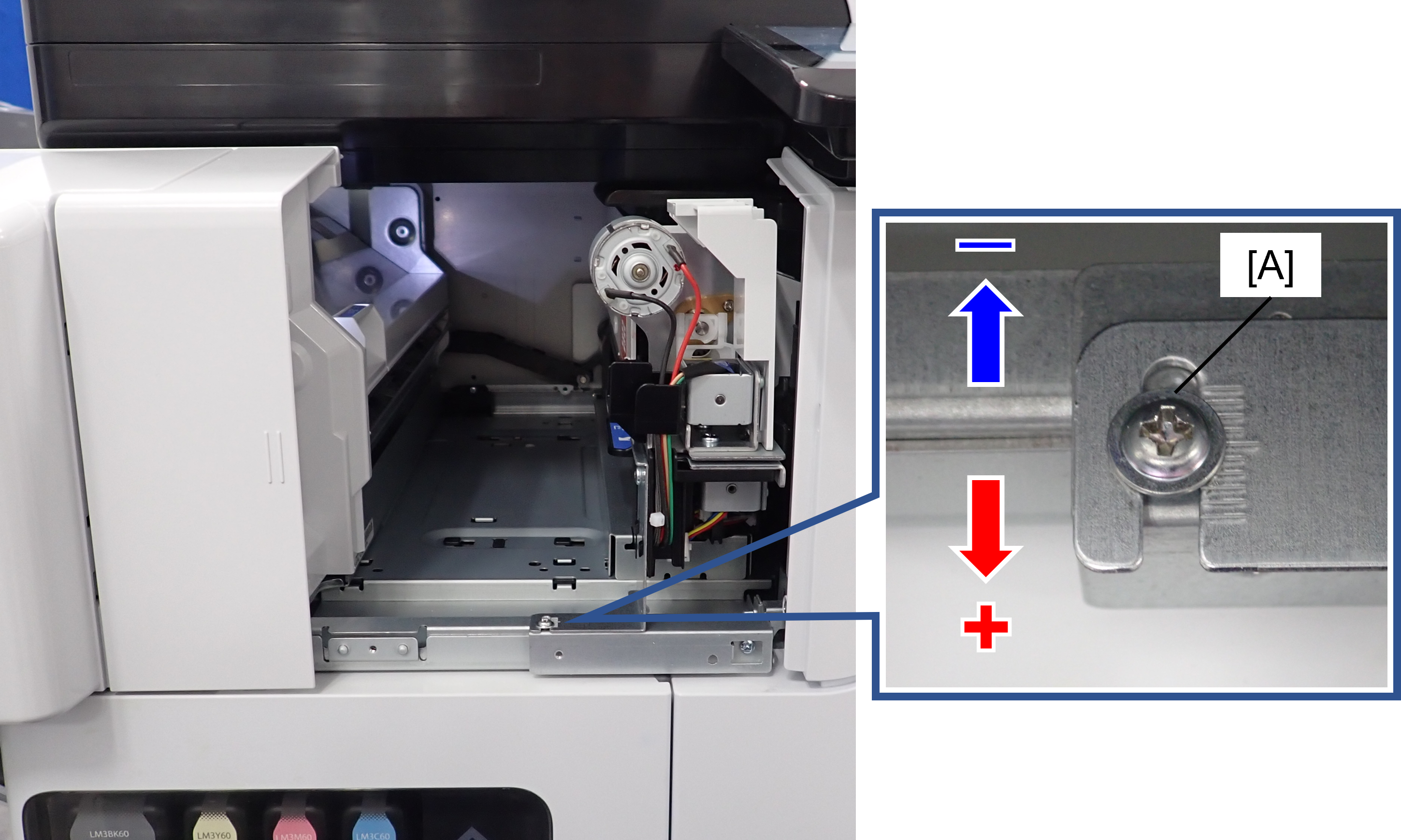 Check Point / チェックポイント
Check the parking position written on the adjustment pattern again and decide the direction to move the unit.
- When the marking is written on the right side of the punched hole (+ side)
 Move to the front side of the product.
 - When the marking is written on the right side of the punched hole (- side)Move to the back side of the product.
When moving the inner punch unit, refer to the frame memory (1 memory = 1 mm).
- When the marking is written on the right side of the punched hole (+ side)
Tighten the fixing screw (A) of the inner punch unit, and put the inner finisher back.
Output the adjustment pattern again, and if the misalignment of the holes is improved, press [Close] to finish the adjustment and assemble the front cover of the inner punch unit.
If you need to continue adjusting, repeat the adjustment from step 8.