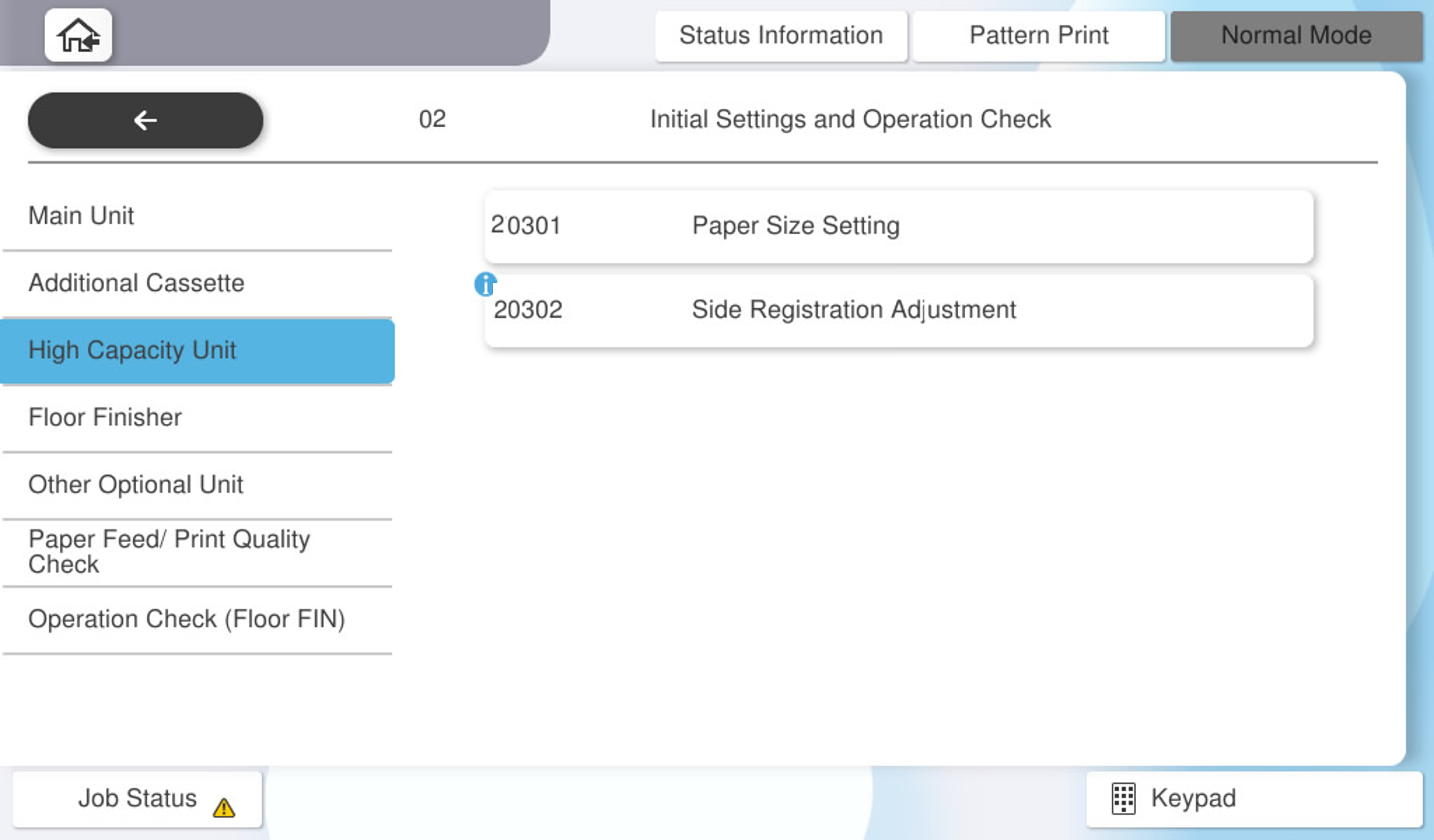
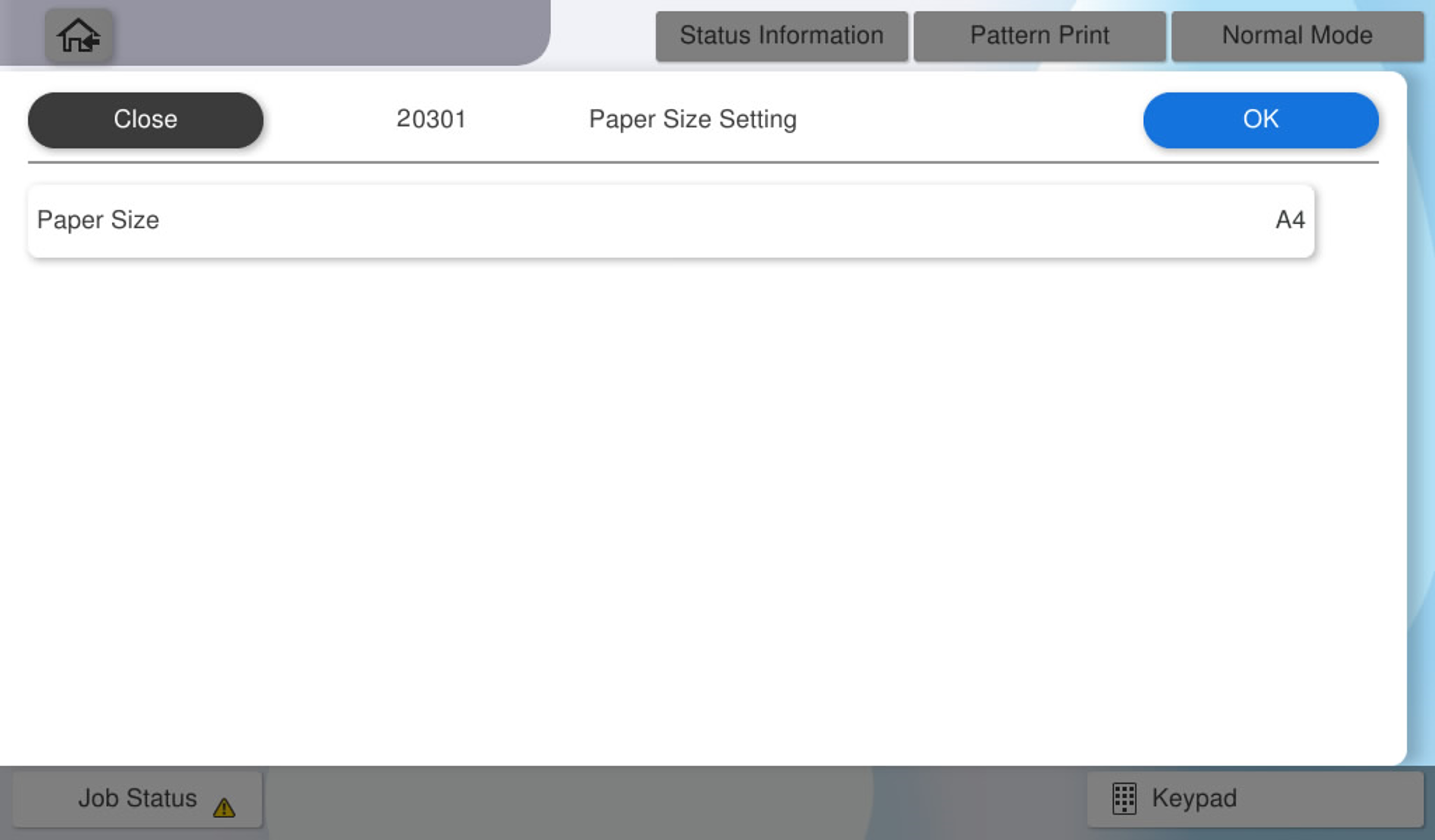
20301 Paper Size Setting
Switch the paper size setting (A4 or Letter or B5) used in the large capacity paper feed unit.
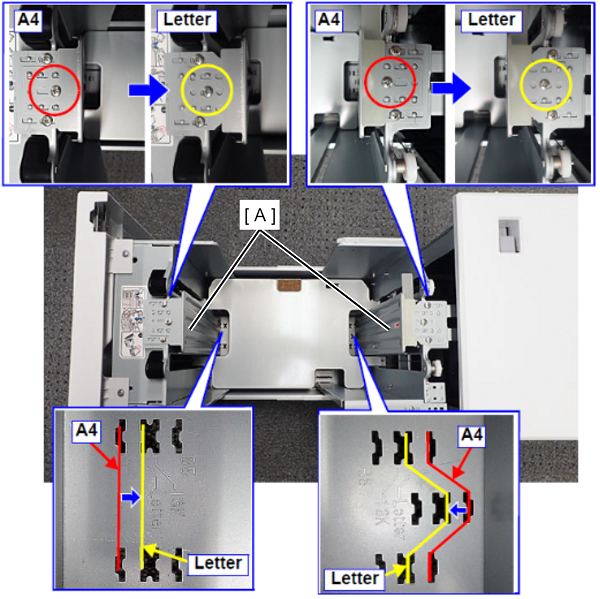
Remove the paper side regulation plates (A) on both sides of the front and back with one screw, move them to the position of the paper size you want to change, and fix them with screws again. (M4x8)
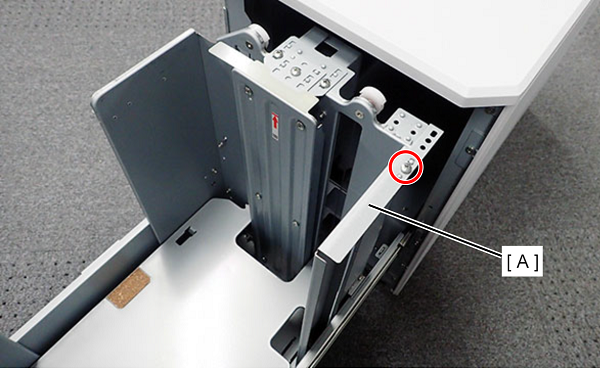
Remove 1 screw and remove the paper trailing edge regulating plate (A). (Attach the trailing edge regulating plate when switching from Letter to A4.)
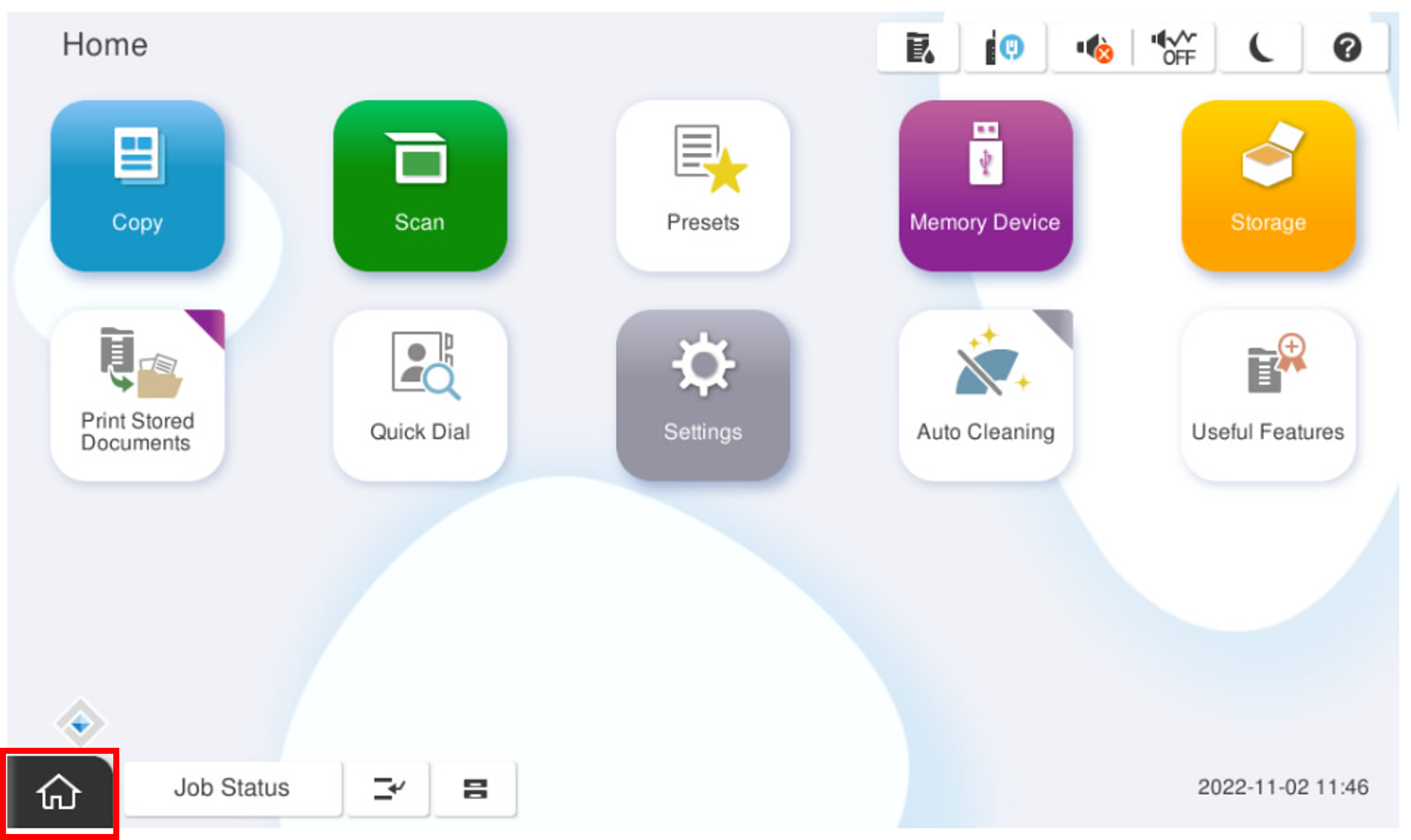
- Start the installation mode.
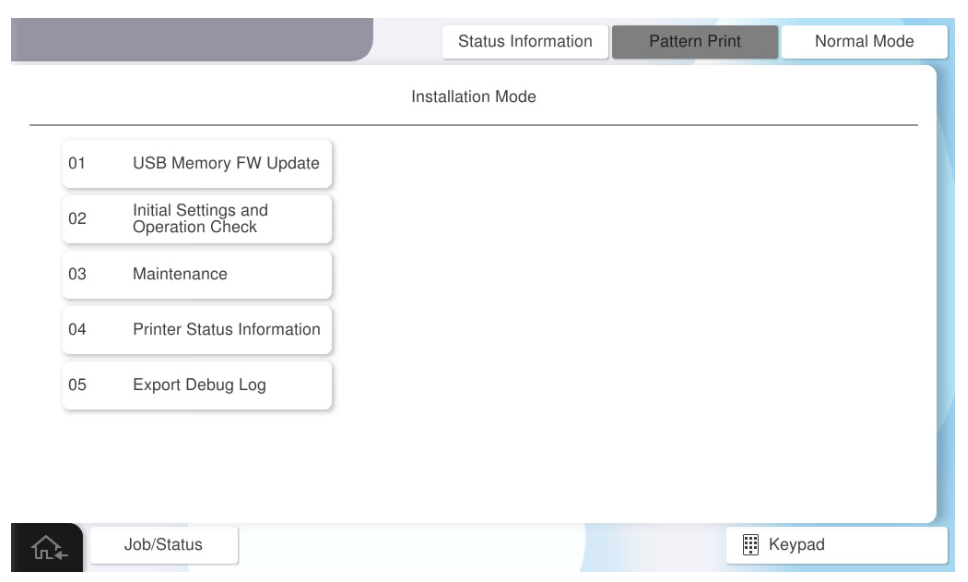
- Select [02 Initial Settings and Operation Check]
- Select [20301 Paper Size Setting], switch to the desired paper size (A4, Letter or B5) from [Paper Size Settings], and press [OK].