Reference Information_1
Firmware Update Procedure
The firmware update method of this product is as follows.
- Via USB flash drive
- Via PC
- Via network
How to check the firmware version
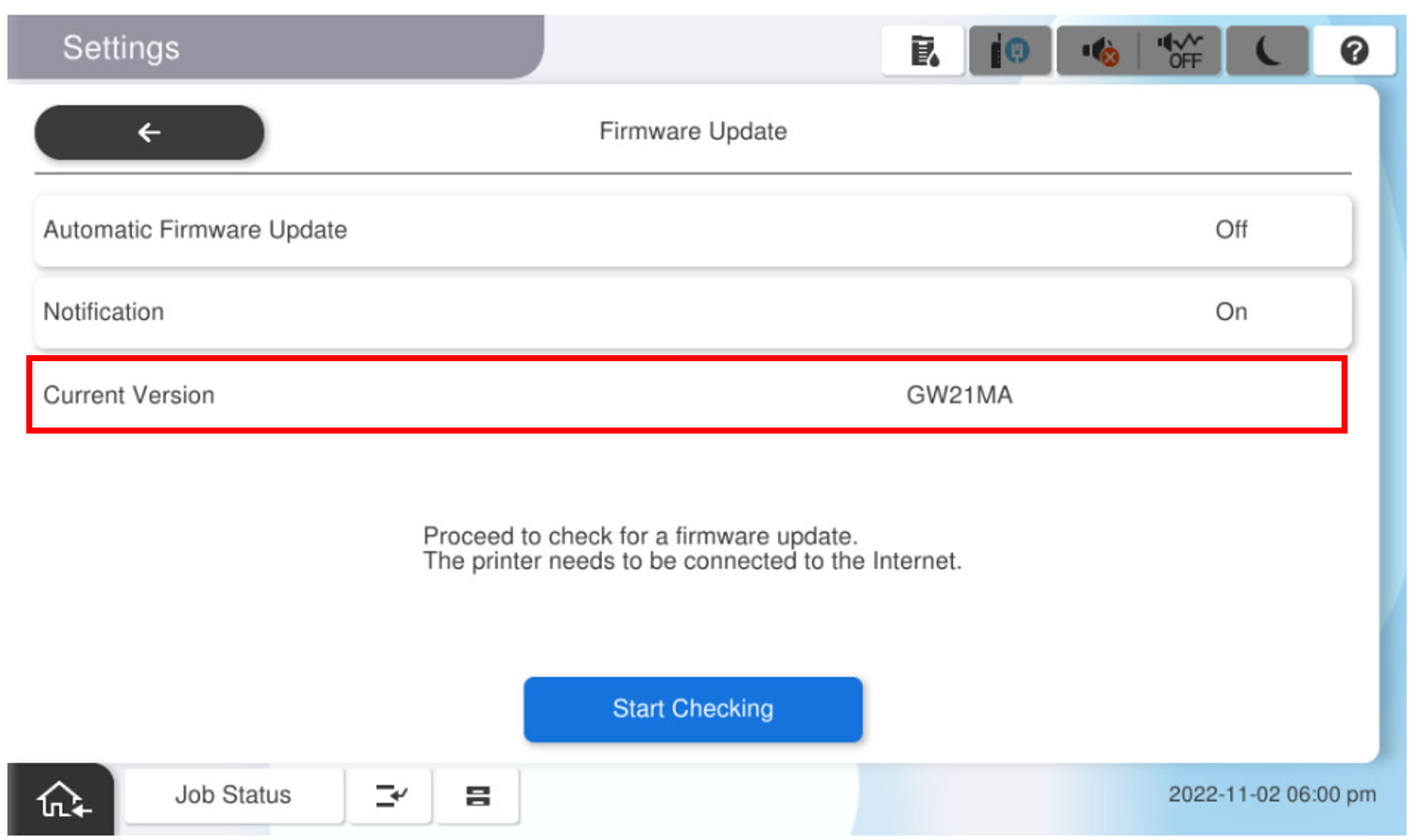
How to check the firmware version is as follows.
- Main Panel
- Printer information sheet
- Installation mode(Status Information)
 Note / 補足 Note / 補足 |
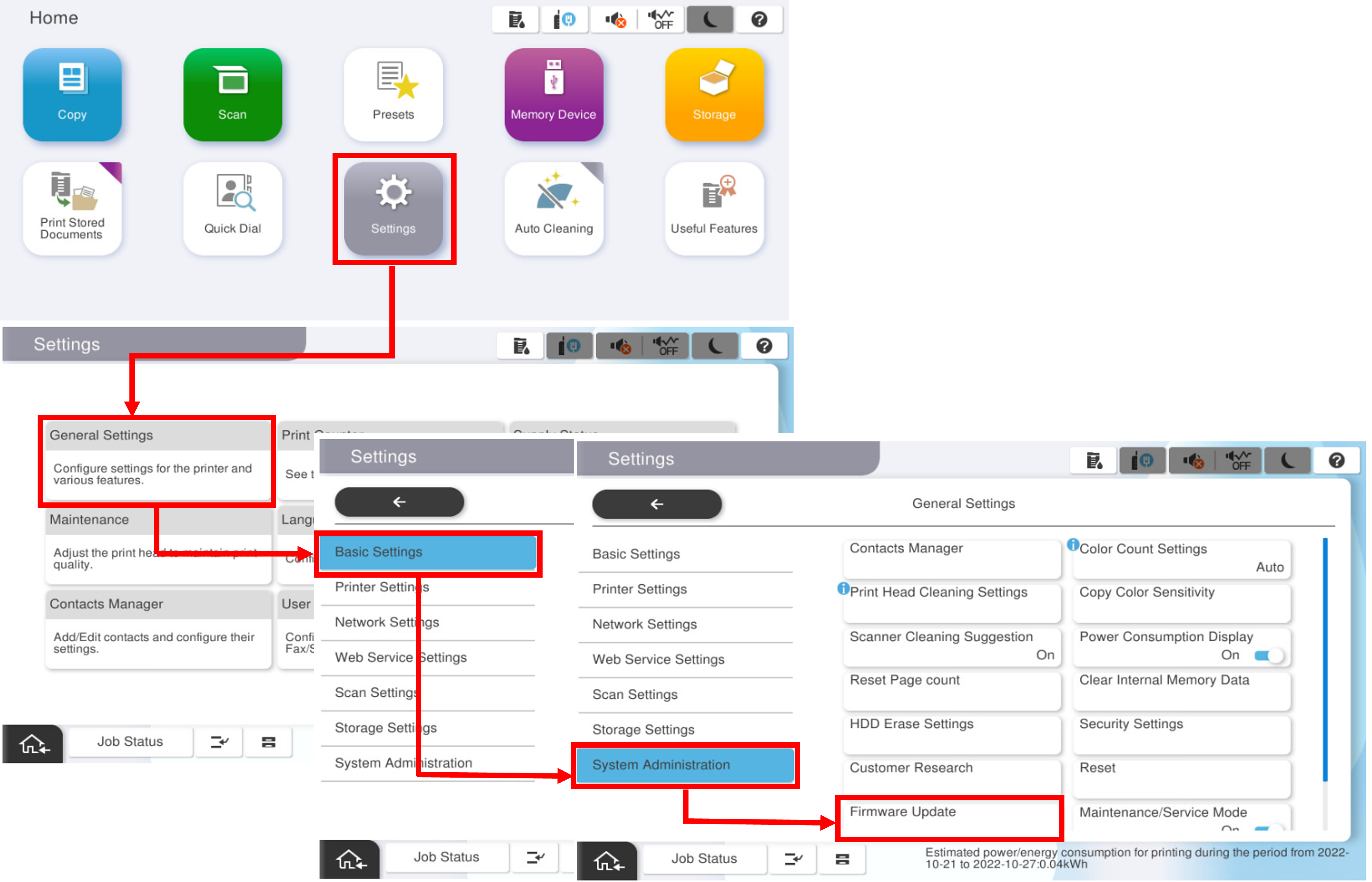
(Reference) How to check the current firmware version from the main unit panel From the home screen, [Settings] > [Device Settings] > [Administrator Settings] > [Firmware Update]
|