
Caster Table Installation Procedure
Bundled Items
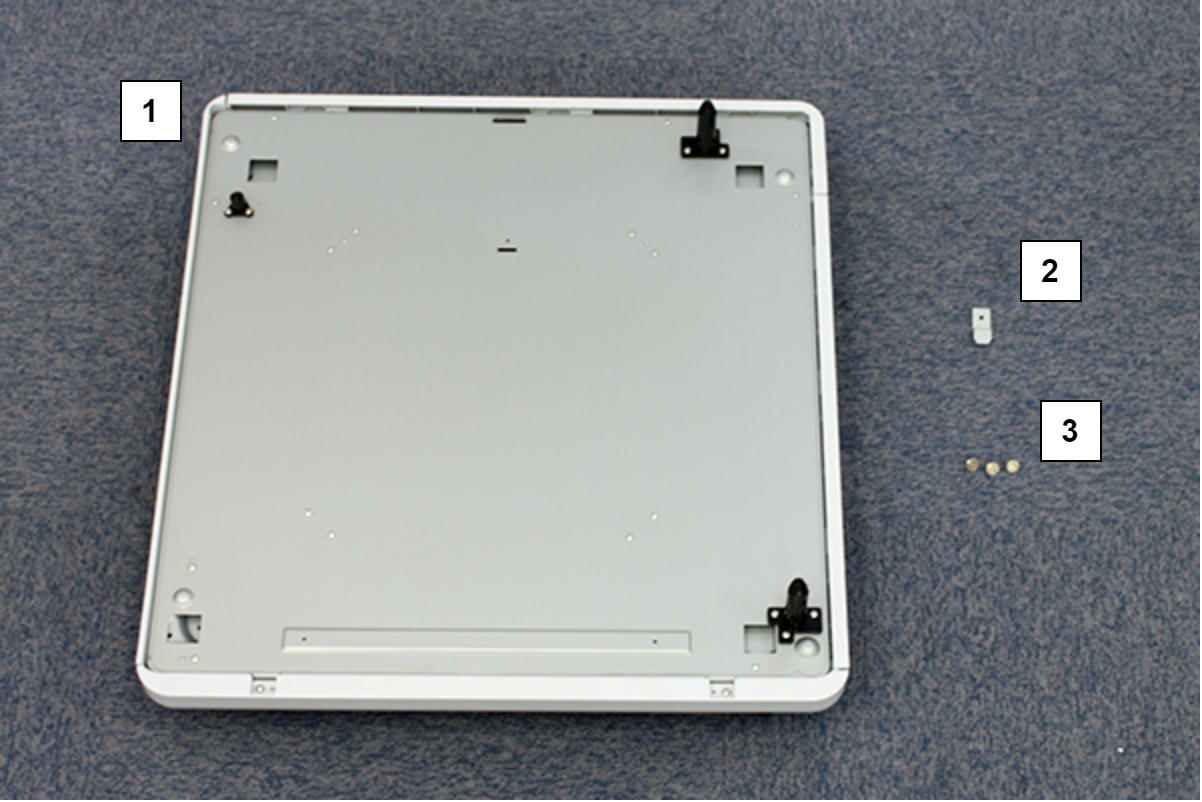
| No. | Bundled Item | Qty |
|---|---|---|
| 1 | Caster Table | 1 |
| 2 | Securing Brackets | 1 |
| 3 | Coin screw | 3 |
Installation Procedure
Items to Prepare
- Gloves
- Cutter
- Coin
Minimum number of workers
4 persons
 Caution / 注意 Caution / 注意 |
Be sure to check the following precautions before installation.
|
Installation Procedure
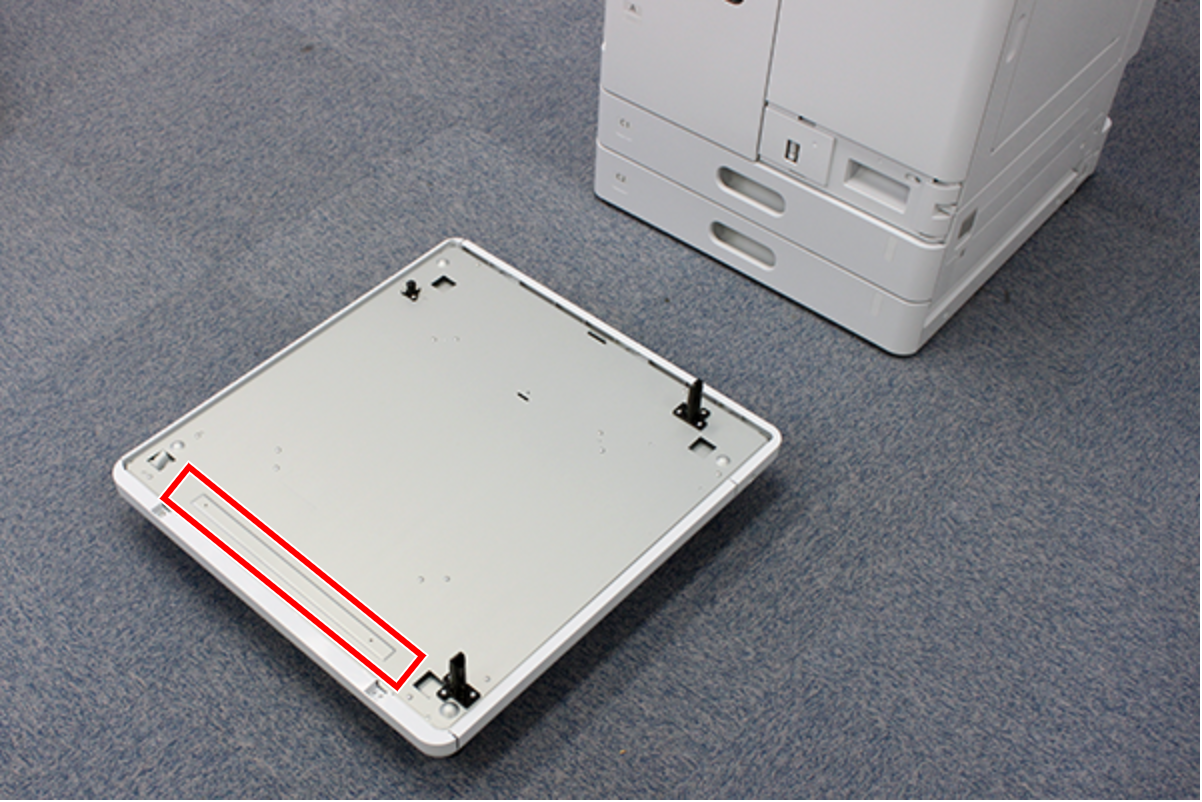
- Move the Caster Table to the front side of the Main Unit
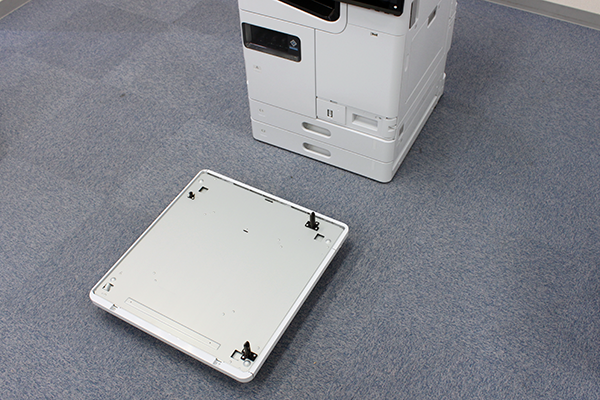
 Note / 補足
The Convex part of caster table should be aligned with the front side of the Main Unit.
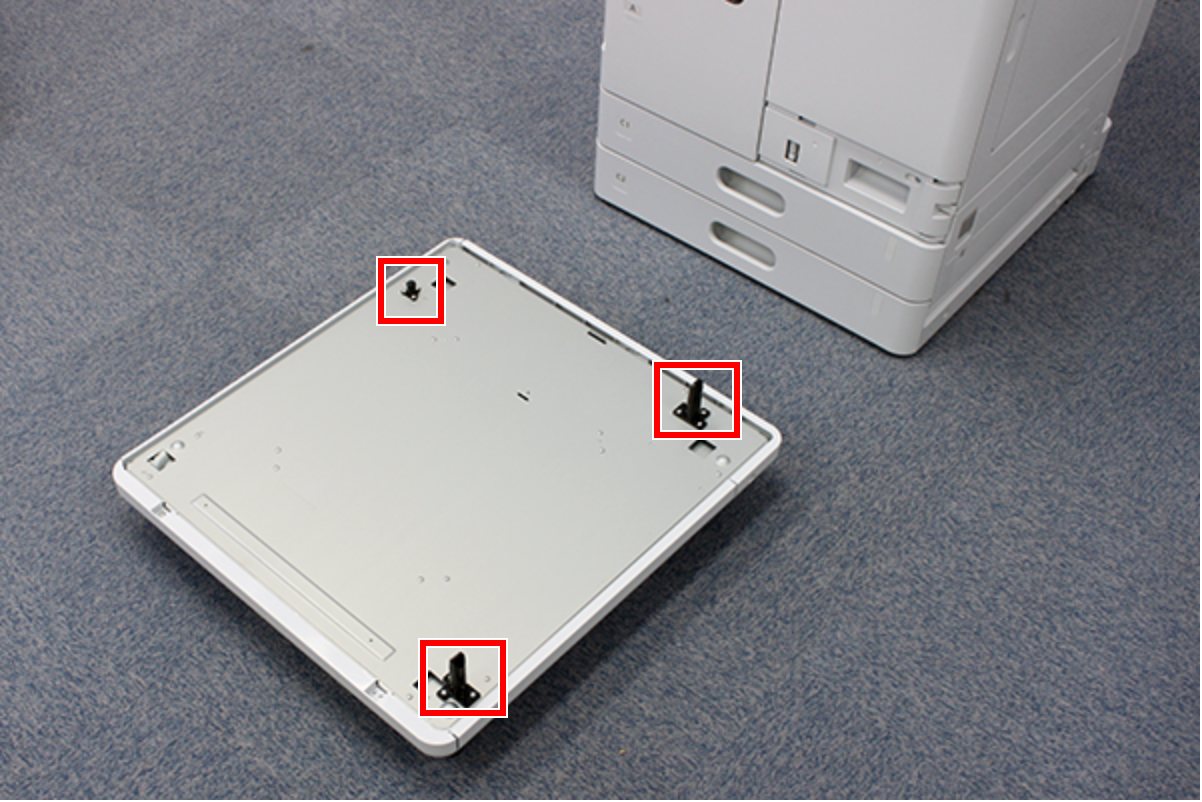
- Lift the Main Unit and place it on the caster table.
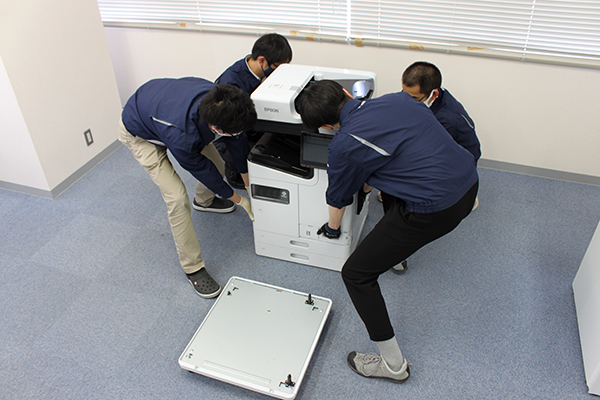 Note / 補足
Insert the three positioning shafts of the caster table into the holes in the Main Unit.
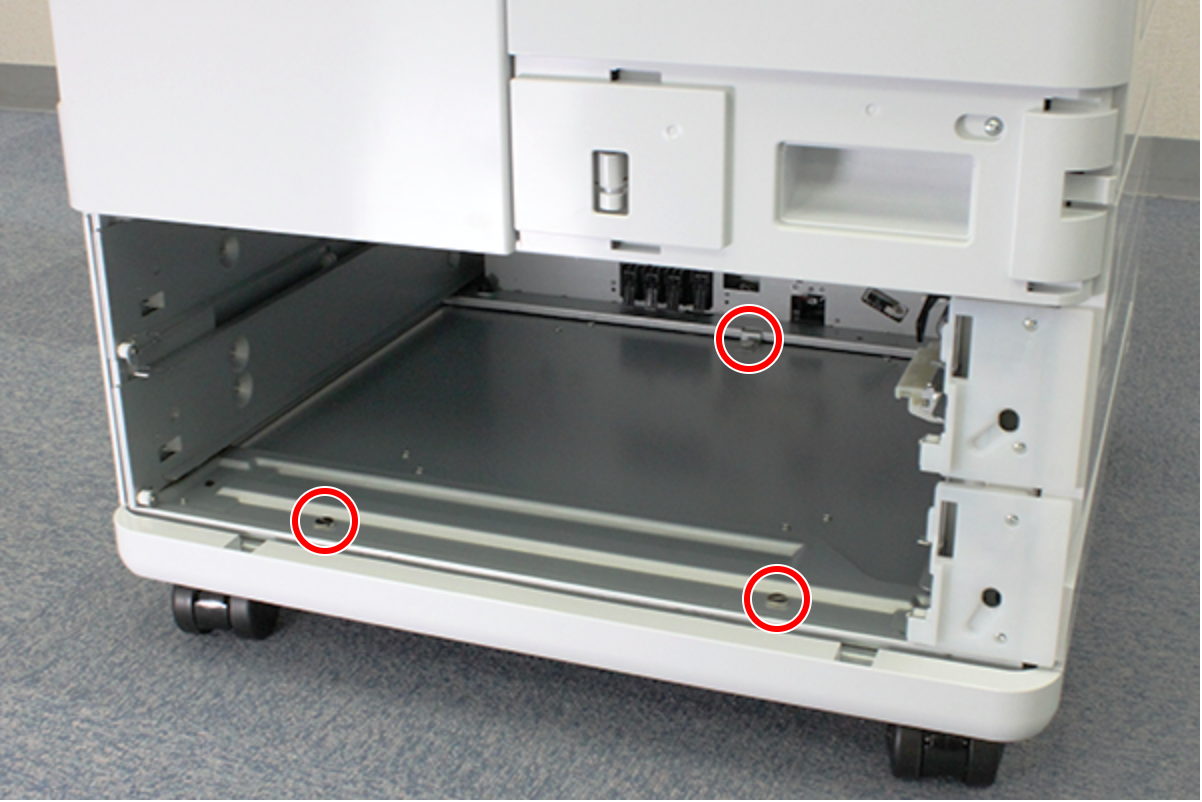
- Remove the C1 and C2 cassettes (A).

- Attach the fixing bracket (A) to the back of the cassette insertion slot.

- Fix the caster table with 3 Coin screws.
Install the C1 and C2 cassettes.
 Check Point / チェックポイント
The four casters on this printer are equipped with a lock mechanism.
After moving the unit to new location, lock the casters according to the installation environment and customer requests.